
Verifying the people behind a business
KYB identifies UBOs, shareholders and officers, then verifies each one with their own session - here's what's collected, how invitations work, and what Awaiting User means.
The key-people step collects each party - person or company - with their role and ownership percentage, then each party verifies in their own session. The parent business session waits at Awaiting User until every required party is finished, then re-aggregates automatically.
#Why this step exists
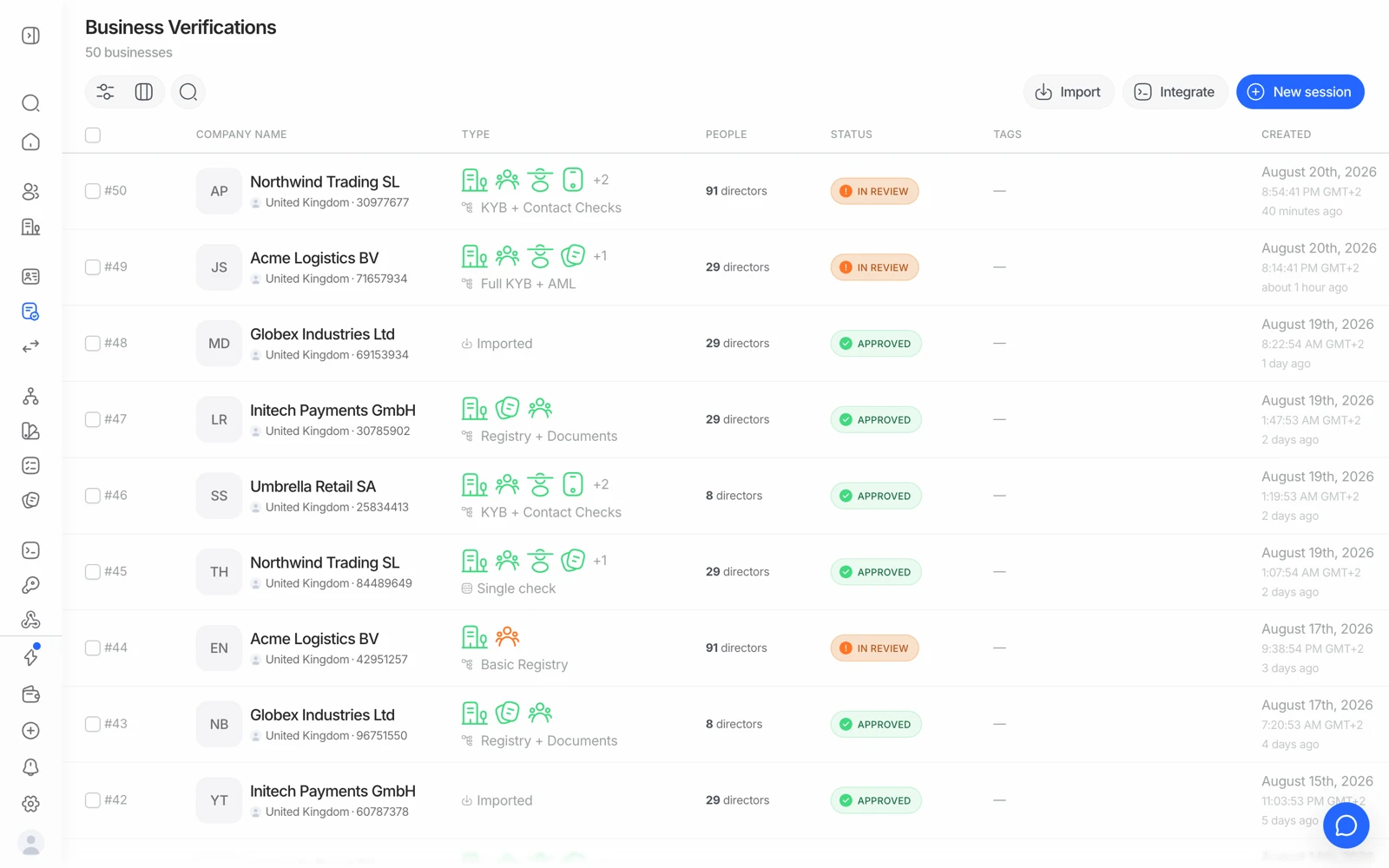
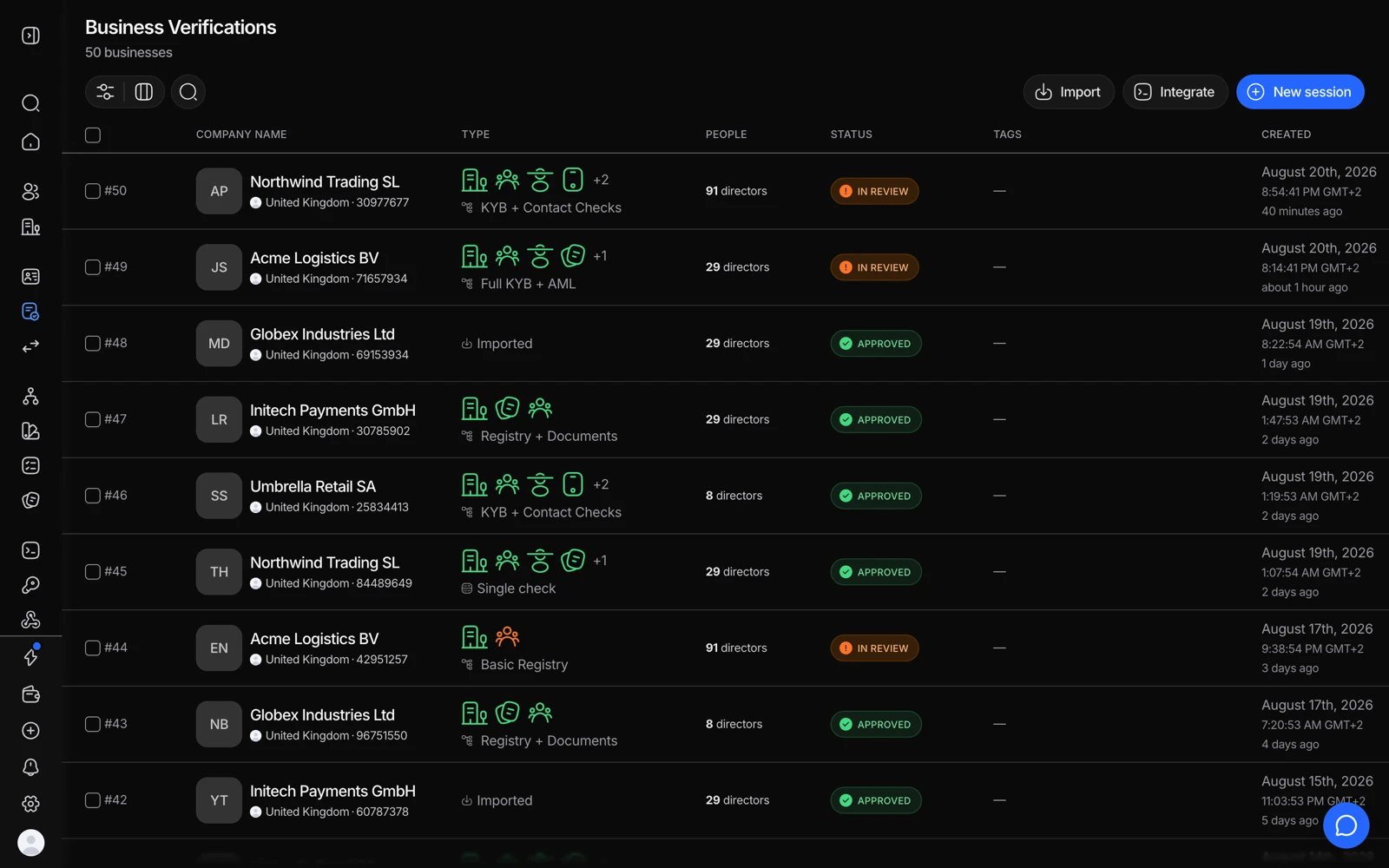
- One row per business under verification.
- The People column shows how many parties are attached and how they are doing.
- The business decision stays open until its people are resolved.
Verifying that a company is registered tells you the company exists. It doesn't tell you who is behind it, and that's usually the actual compliance requirement: identifying the ultimate beneficial owner - the natural person who ultimately owns or controls the entity.
Didit pulls the structure from the registry where it's published, lets the business admin confirm and extend it in the hosted flow, and then runs role-aware verification on each person.
#What's collected per party
The hosted flow collects a default set of fields, plus any custom fields your workflow requires:
| Field | Person | Company |
|---|---|---|
| Name (or first + last) | Required | Required (company name) |
| Required | Required | |
| Nationality / country | Required | Required |
| Role - one or more | Required | Required |
| Ownership or voting percent, per role | Optional | Optional |
| Date of birth | Optional | - |
| Phone number | Optional | - |
| Position (free-text job title) | Optional | - |
| Registration number | - | Optional |
A party can be a natural person or a corporate entity - the entity type is set automatically - so a company owned by another company models correctly rather than forcing a person into a corporate slot.
#Custom fields
Your workflow can require any number of extra fields per person or per company. They arrive on each party in the decision response. Typical uses are source-of-wealth declarations, internal reference numbers, or an attestation you need on record.
#How each person verifies
Each required party gets their own session, running whatever KYC workflow you've configured for them. That session is a full verification - document, liveness, face match, AML, whatever the workflow specifies - not a lighter-weight variant. So a UBO who verifies inside a KYB flow has been verified to the same standard as a standalone user.
The parent business session moves to Awaiting User while this happens.
#Invitations and delivery
Parties are invited by email using the address collected in the key-people step. If you'd rather deliver the links yourself - through your own product, your own email, or a channel your users already trust - that's the thing to confirm with your Didit contact when designing the flow, because it changes how you wire the integration.
If you're driving this from the API, hold onto each party's session identifier when it's created so you can track and re-send without going through the console.
#Reading the parent's status
| Parent status | What it means |
|---|---|
| In Progress | The company is still completing the registry and key-people steps |
| Awaiting User | Parties submitted; waiting for their individual sessions |
| Approved | Company checks passed and every required party finished successfully |
| Declined | A required party was declined, or the registry check failed |
| In Review | The aggregated result needs a human decision |
A declined registry check takes precedence over Awaiting User - the parent declines without waiting for the people. And if a child session is resubmitted, the parent returns to Awaiting User until it completes.
#AML on the people, not just the company
Company-level AML screening tells you about the entity. It says nothing about its owners. If your obligation covers the people, screen them individually - which is a separate $0.20 per UBO or officer, on top of the company screen.
That's the main reason two KYB sessions can cost very different amounts: a company with one director and one owner is cheap; a fund with eight screened officers is not.
#When ownership data isn't in the registry
In jurisdictions whose registry doesn't publish ownership, the key-people step is the source of that data - the business declares it. That's a weaker form of evidence than a registry extract, so if your risk policy requires independent confirmation, back it with a document requirement in the workflow. See registry coverage and ownership data.
This is also why UBOs or shareholders sometimes don't auto-fill even when the country is selected in your configuration: if the registry doesn't expose them, there is nothing to pull, and the manual entry in the key-people step is the intended path rather than a bug.
#Reusing an existing KYC session
A verification session that already exists can't be manually attached as a KYB party - there is no "link this KYC to that business" action in the console or the API. Each required party verifies through the session the KYB flow creates for them; where a previous verification can be reused, that happens inside the flow itself, not by linking sessions yourself.
A self-declared ownership structure is exactly as reliable as the person filling it in. For higher-risk entities, requiring a shareholder register or a certified structure chart is the difference between collecting a claim and verifying one.