
Logging in and recovering account access
Sign in at business.didit.me with SSO, a passkey, or email and password. Here's what to do about forgotten passwords, lockouts, and the classic missing-organization problem.
If you signed in successfully but your team's workflows and history aren't there, you almost certainly created a new organization instead of joining theirs. Ask an owner to invite your email - the data isn't lost, you're just in the wrong organization.
You sign in to Didit at business.didit.me with Google SSO, a passkey, or an email and password. Most access problems come down to being in the wrong organization or a locked password, not lost data.
#Signed in, but your organization's data is missing
This is by far the most common access problem, and it isn't a bug.
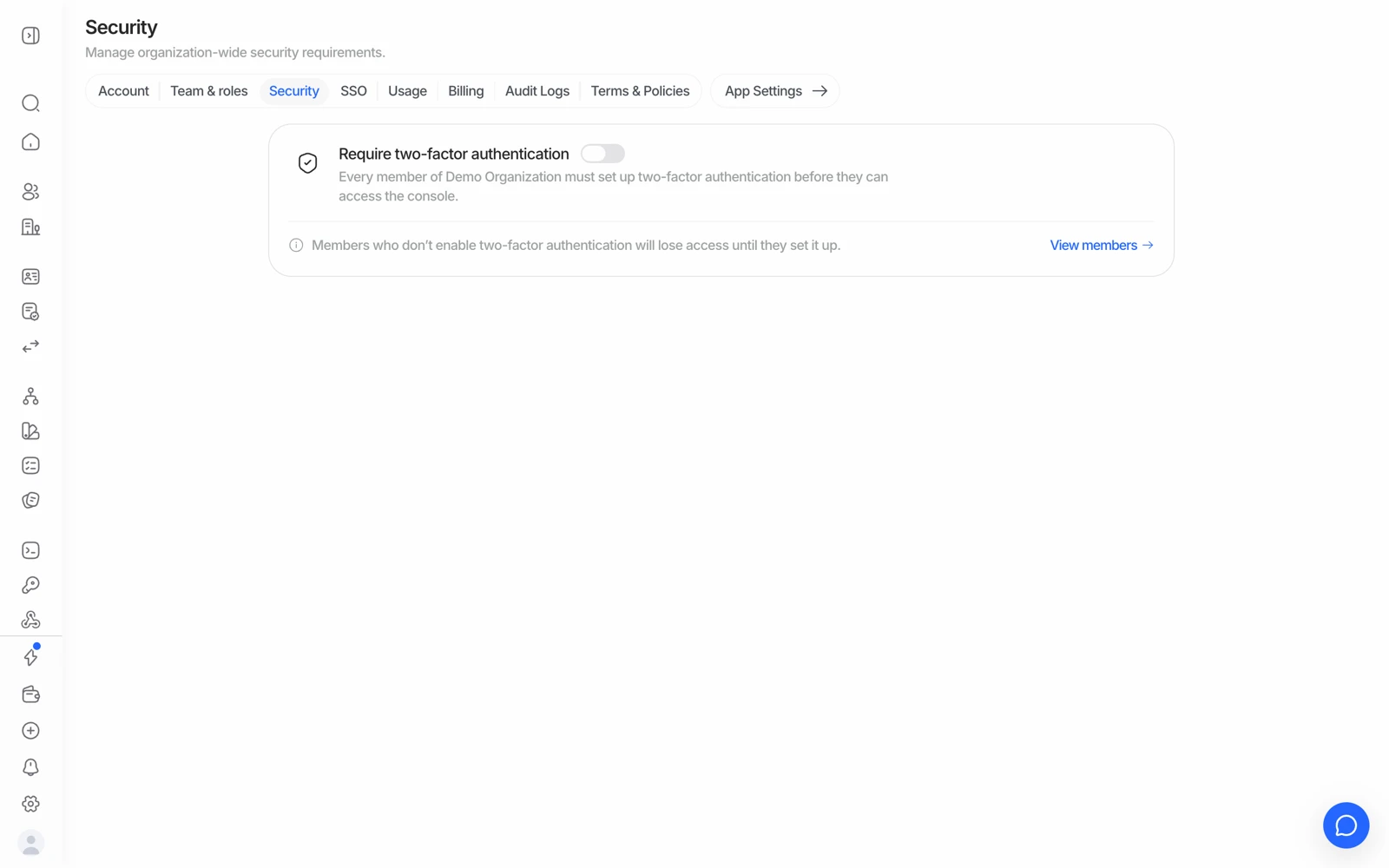
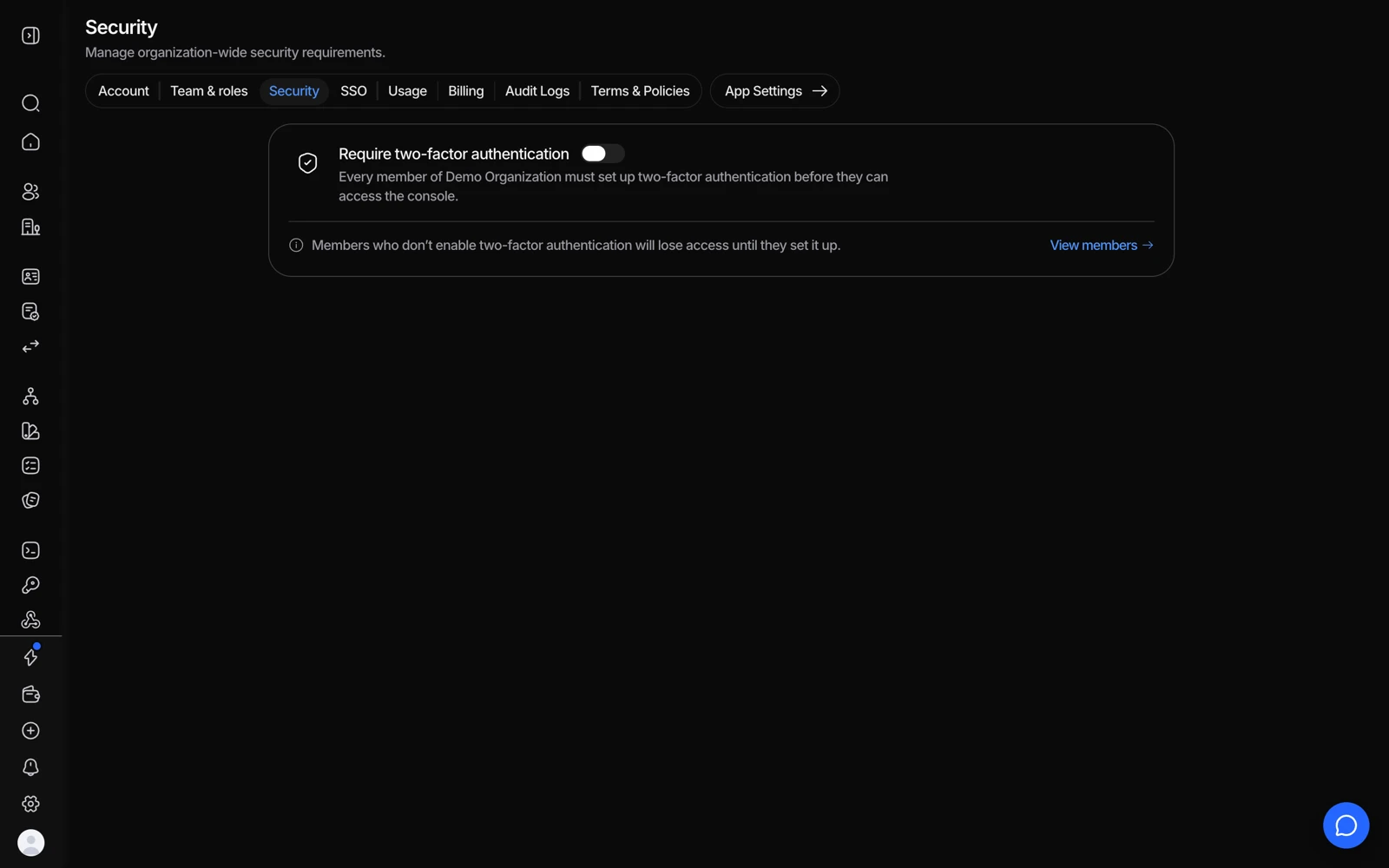
- Turn this on to require 2FA for everyone in the organization.
- View members shows who already has it enabled, which is who can still get in.
If you create an account without using a teammate's invite link, Didit creates a brand-new organization for you rather than adding you to your team's existing one. Your colleague's workflows, API keys, and verification history live in their organization, and you're looking at yours.
To fix it:
- Ask to be invited
Have an owner or admin of the correct organization invite your email under Settings > Team. See inviting team members and setting roles.
- Clean up the duplicate
An email can only belong to one organization at a time, so the empty organization you accidentally created may need to be removed before the invite can land. Its owner can delete it from organization settings - or contact support and they'll handle it.
If instead a page won't load, shows a server error, or history looks genuinely missing after you're confirmed in the right organization, that's not something you did. Contact support rather than trying to work around it.
#Forgot your password
Use the reset link on the login page and follow the instructions sent to your email. If you signed up with SSO, reset your password with your identity provider instead - there's no separate Didit password to recover.
#Too many failed attempts
Entering the wrong password several times in a row temporarily locks the account as a security measure. Wait before trying again, or use the reset link to set a new password rather than continuing to guess - each guess extends the lockout.
#Changing your login email
To move your account to a new email address, add the new email as a team member with the same role under Settings > Team, then remove the old one. If you're locked out and can't do this yourself, contact support.
#Switching from a social login to email and password
If you signed up with Google or GitHub and want to move to an email and password, the practical route is the same as changing your email: have the target address invited as a member with your role, then remove the old identity. Ask support if you need it done while you're locked out.
#Passkeys and second factors
If you're stuck behind an extra sign-in step - a passkey that no longer works, a lost second factor, a new phone - contact support so they can verify who you are and restore access. Don't keep retrying; repeated failures extend the lockout.
Asked for a passkey you never created, or one that fails. Passkeys are per device, so a new phone or a wiped browser won't have yours. Support can reset the passkeys on the account, but for security they first send you an identity verification link (a short Didit session with your ID and a selfie). Complete it, reply on the same ticket, and they clear the passkeys so you can sign in with your email and password or SSO again and register a new one under Account settings > Passkeys.
Lost the authenticator app (2FA) with your phone. First try to restore the app itself from the backup, email or recovery keys you set up when you created it; that needs nothing from Didit. If that isn't possible, contact support: after the same identity verification they disable the second factor so you can enrol a new one.
Some actions are deliberately gated behind an extra confirmation even after you're signed in. That's intentional for sensitive changes, not a fault.
#"Registration failed, too many requests from this IP address"
Nothing is wrong with your details. This is the sign-up rate limit, and it is tied to the public IP address you're connecting from, not to the email address or the browser - which is why an incognito window and a different email make no difference. It trips after a few attempts from the same network in a short window, and an office or shared network (or a VPN) can hit it even on your first try because colleagues share the address.
Two things get you through:
- Sign up from a different network. The easiest is your phone on mobile data with Wi-Fi off, at business.didit.me. That gives you a fresh address and the registration goes through immediately.
- Or wait, without retrying. The limit clears on its own after the time the message shows (about an hour). Each new attempt can restart the countdown, so if you've been retrying every few minutes it never actually elapses.
If neither works, tell support the public IP you're signing up from and they'll clear the limit for it. Once you're in, pick the mailbox you personally read as the account owner: that's where API keys, billing notices and security alerts land.
#Signed in through GitHub or Google and landed in the wrong account
A social login is tied to the email that provider reports. If your GitHub account is linked to a different email than the one your organization invited, signing in with GitHub creates a fresh, empty organization under that other email - the classic missing-organization problem above. Changing the email inside GitHub afterwards produces yet another new account rather than merging. The fix is the invite route: have the owner invite the address you actually want to use, then contact support to remove the empty organizations and, if needed, transfer ownership after they've verified you.
#Organizations using SSO
If your organization has SSO configured, sign in through your identity provider rather than a password. If password sign-in is unexpectedly blocked, that's usually an SSO policy your own admin controls - check with them before contacting support.
#Getting help when you can't sign in
Support will ask for something that identifies your organization. If you can't reach the console at all, send the email address you sign in with and, if you know it, your organization ID from a previous URL. Asking someone to send a console screenshot when the problem is that they can't reach the console isn't useful - say plainly that you're locked out and they'll take it from there.