
Getting verification results with webhooks
Didit doesn't email you when a verification changes status - set up a webhook so your backend hears about it the moment it happens, and verify the signature before you trust it.
A webhook is an HTTP request Didit sends to your URL when something changes. Add a destination under API & Webhooks, subscribe to the events you want - there is no wildcard, list every one - save the signing secret, and verify the signature before you process anything.
Didit doesn't send you an email when a session moves to In Review or Declined. To find out the moment a status changes, without refreshing the console, set up a webhook - a URL on your server that Didit sends the update to automatically.
Webhooks are the recommended integration pattern. Polling the decision endpoint works as a fallback, but it's slower, costs more requests, and misses events that are only ever delivered by webhook - data edits made by a reviewer, transaction status changes, and entity-level changes.
#Setting one up
- Go to API & Webhooks
In the Business Console, open the application you want to receive events for, then go to API & Webhooks.
- Add a destination
Give it a label, your endpoint's public HTTPS URL, and pick the events you want to receive - session status changes at minimum.
- Save the signing secret
The destination shows you a secret once. Save it - your server uses it to confirm a request really came from Didit rather than an impersonator. Full verification steps: Signature verification.
- Test it
Use Try Webhook on the same page to send a fully-formed test event - approved, declined, in review, KYB, entity, and transaction scenarios - to your endpoint. You can validate your integration this way without running an actual verification.
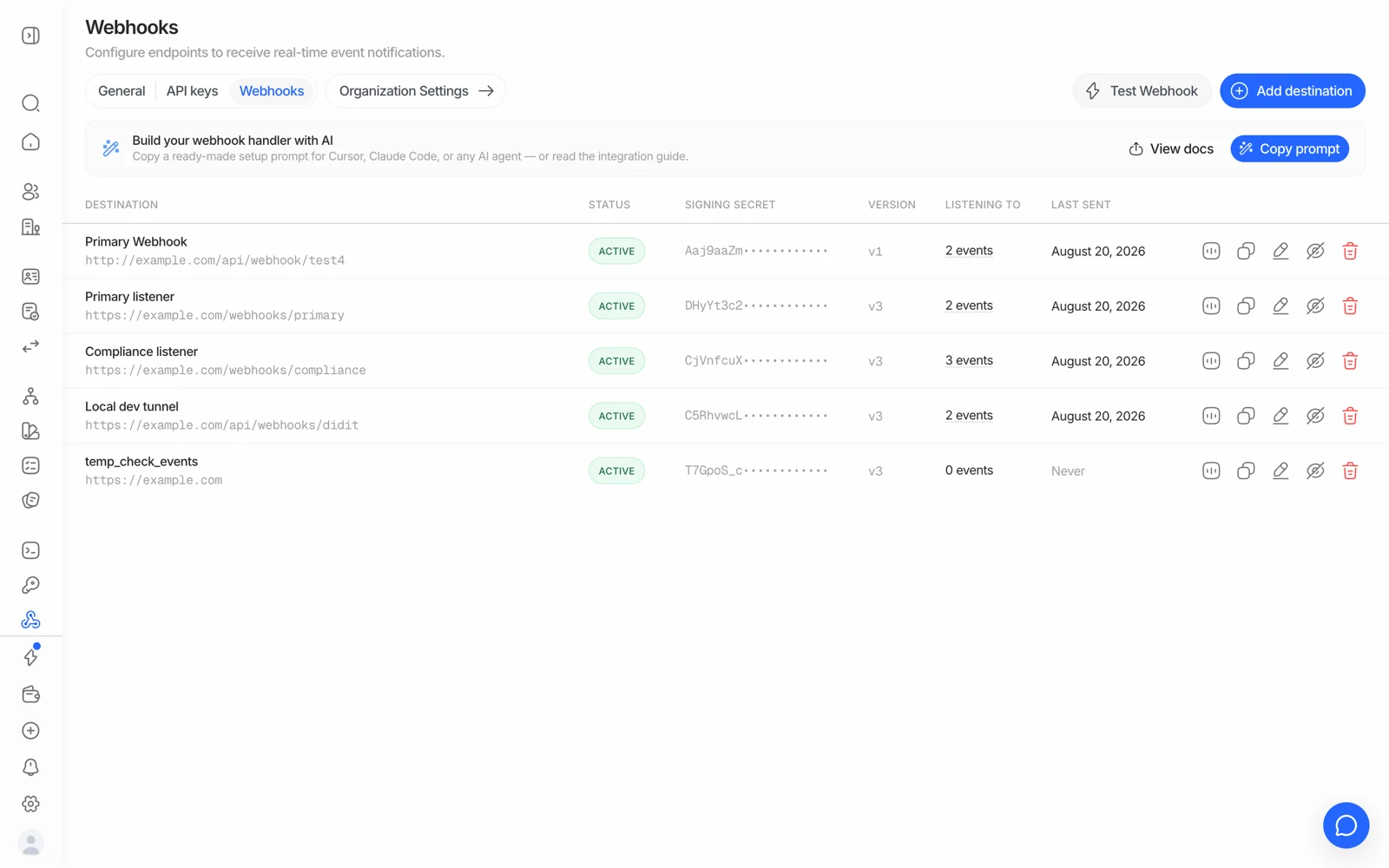
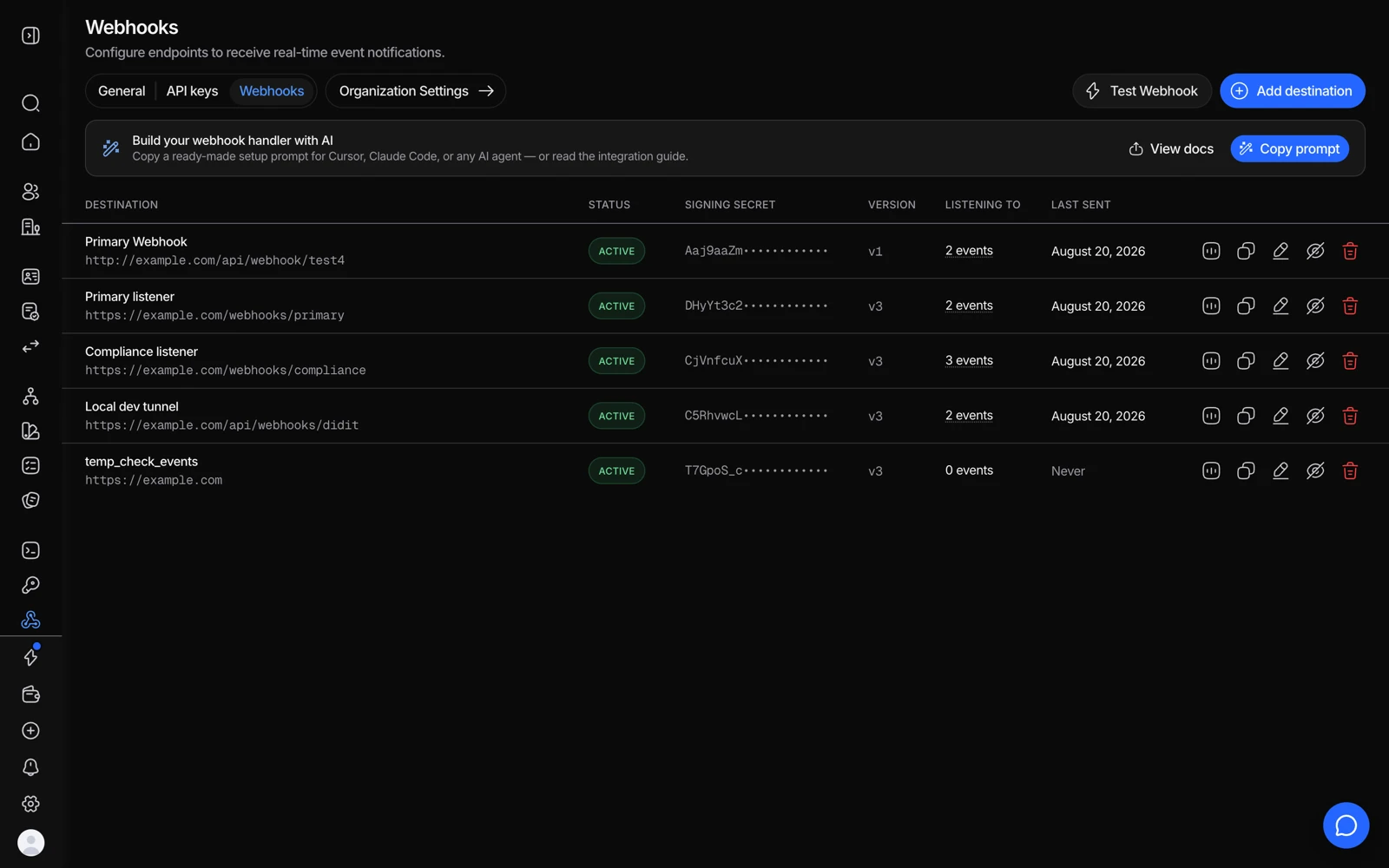
- Add destination registers the URL Didit posts results to.
- Verify every delivery against this signing secret before trusting it.
- Choose which events a destination receives.
- Test Webhook sends a sample payload so you can confirm your endpoint accepts it.
#The events you can subscribe to
There is no wildcard - list every event family you want. Spreading them across several destinations is fine and often cleaner.
| Event | Fires when |
|---|---|
status.updated | A KYC or KYB session's status changes. The one you almost certainly want |
data.updated | Verification data is edited after creation - a reviewer correcting a field |
user.status.updated | A consolidated user moves between ACTIVE, FLAGGED and BLOCKED |
user.data.updated | A consolidated user's profile, counters or identifiers change |
business.status.updated | A consolidated business changes status |
business.data.updated | A consolidated business's data changes |
transaction.created | A transaction is created and its initial verdict is ready |
transaction.status.updated | A transaction's status changes afterwards |
travel_rule.status.updated | A Travel Rule exchange's status changes |
There is no session.status.updated or kyc.completed. If you subscribed to a
name that isn't in this list, you'll receive nothing - and it will look exactly
like a delivery failure. Check the name first.
#What your endpoint should do
- Verify the signature before anything else. HMAC the raw request body - never a re-serialised version of the parsed JSON, because re-stringifying changes the bytes and the signature won't match. Use a constant-time comparison.
- Return a 2xx fast. Do heavy work asynchronously, after you've responded.
- Be idempotent. Key on the event id, or on session id + status + webhook type. Retries and duplicates happen.
- Handle every status you care about, including the ones that arrive long after onboarding - an approved session can later move to In Review through ongoing AML monitoring.
- HTTPS only. Plain HTTP endpoints aren't supported.
#Retries
On a 5xx, a 404, a timeout, or a connection failure, Didit retries twice:
- First retry about 1 minute after the initial failure
- Second retry about 4 minutes after that
After that the delivery is dropped. Every attempt is logged separately in the destination's Deliveries tab, so you can see exactly what happened rather than guessing.
Two retries over five minutes is not a durable queue. If your endpoint is down for an hour, those events are gone. Reconcile on start-up by polling the decision endpoint for sessions you have no terminal status for - webhooks are the fast path, not the only path.
#Behind a firewall or WAF
Didit delivers from the static IP 18.203.201.92 with a DiditWebhook/2.0 user agent. If your edge blocks unknown clients - Cloudflare's default posture, for instance - allow that IP for the receiving hostname, or deliveries will fail before they reach your code.
#Don't have a backend yet?
You can still monitor results manually in the console's Verifications section while you build one out, or use a no-code verification link in the meantime.
#Next steps
- When a webhook doesn't arrive: when a webhook never arrives
- Understand what each status means once it arrives: what each session status means
- Full technical reference, including signature verification code samples: Webhooks