
Face match scores and thresholds
Face match returns a similarity score, and you decide what happens at each band - here's how to set the review and decline thresholds without drowning your queue or waving fraud through.
Face match returns a similarity score, not a yes or no. You set two thresholds: below the decline threshold the session is declined, between the two it goes to review, above the review threshold it passes. Where you put them is a policy decision, and it is the main lever on both your fraud rate and your review queue.
#What the score means
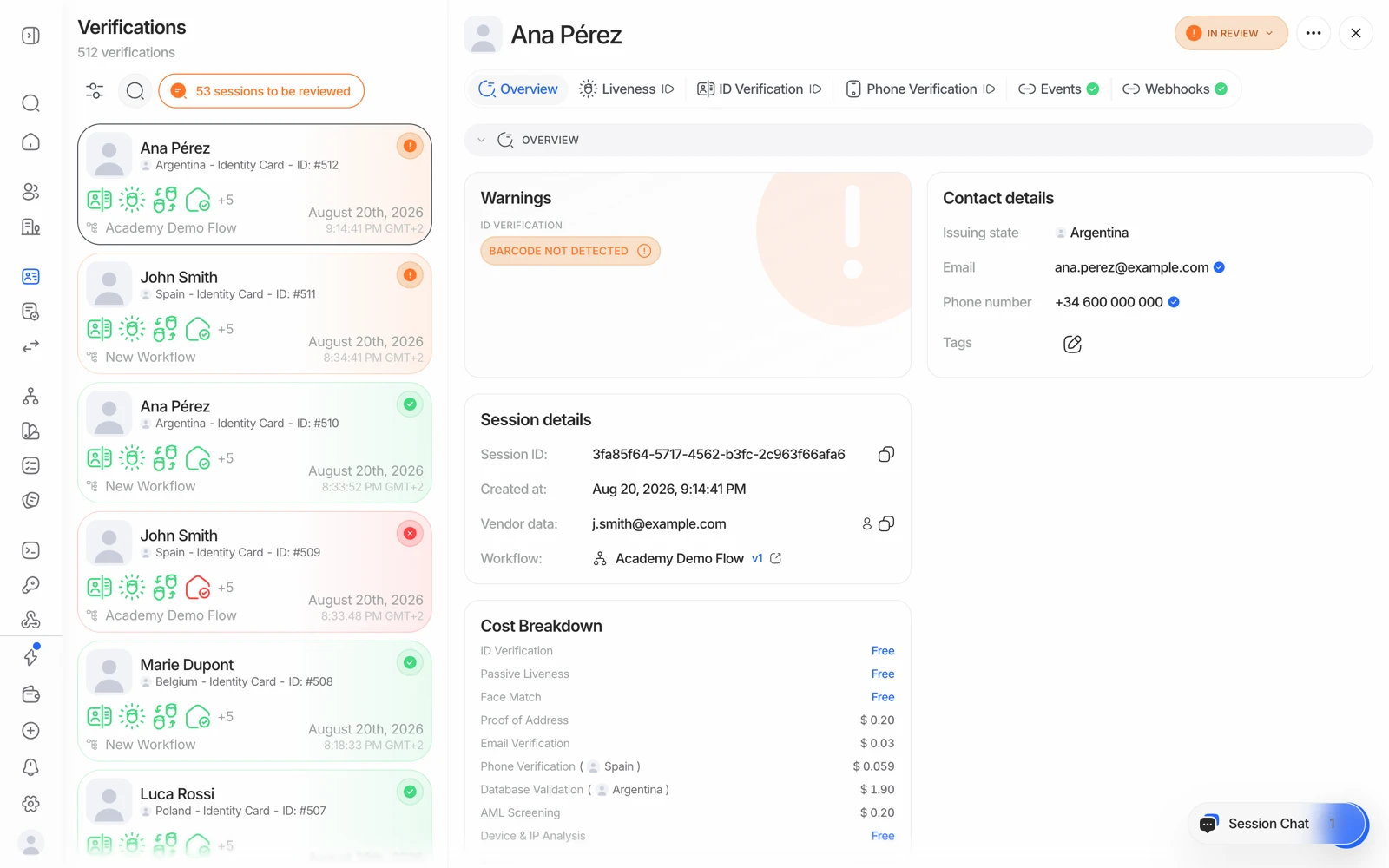
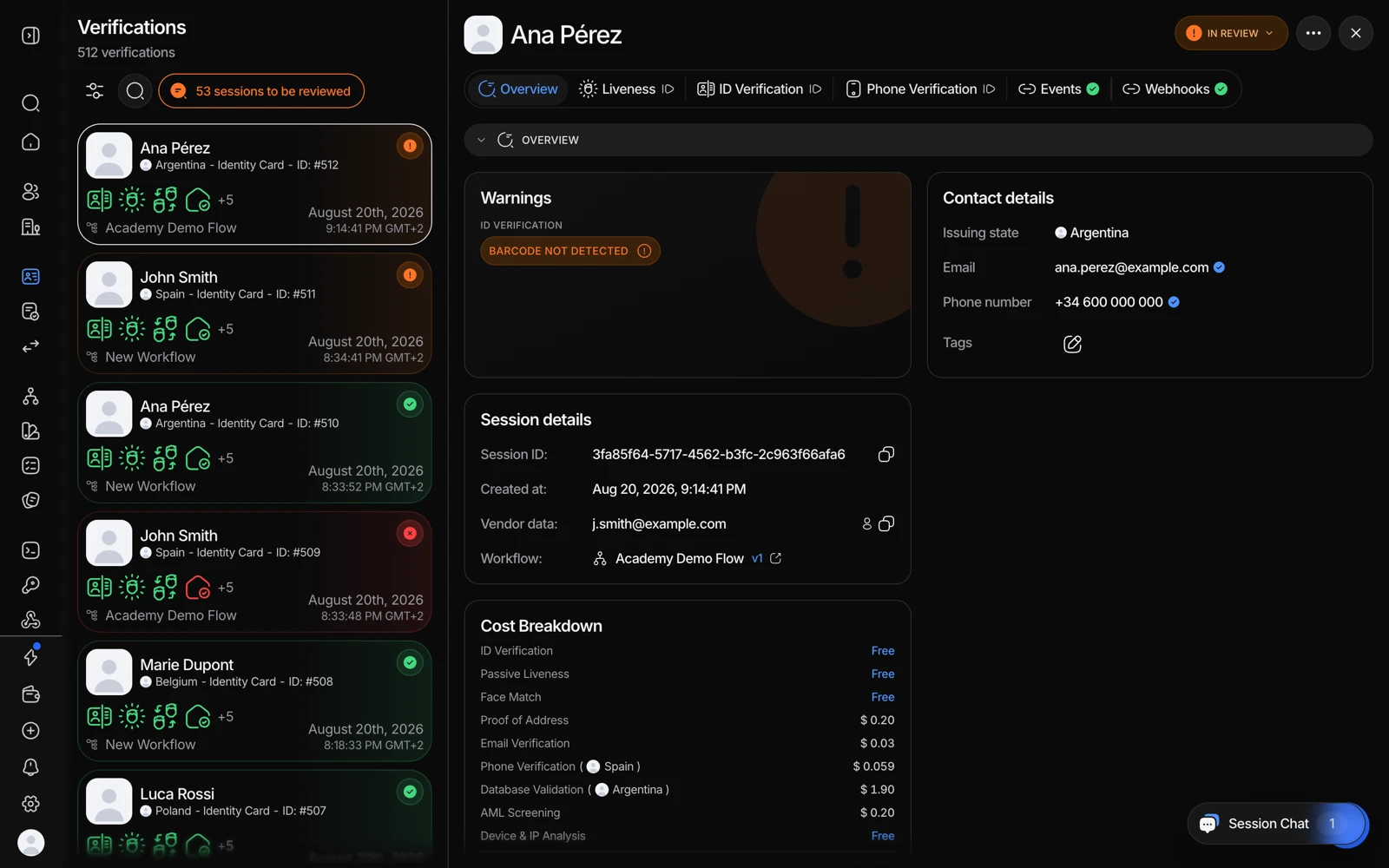
- Liveness carries the selfie, the liveness verdict and the face match score.
- Overview shows what that score did to the session's decision.
Face match 1:1 compares the selfie against the portrait on the document and returns a similarity score. It is a measure of how alike two faces are - it is never a certainty about identity, because no biometric comparison is.
That's why the platform gives you two thresholds instead of one verdict.
#The three bands
| Band | What happens |
|---|---|
| Above the review threshold | Passes automatically |
| Between the two thresholds | Session goes to In Review for a person to decide |
| Below the decline threshold | Session is declined automatically, with LOW_FACE_MATCH_SIMILARITY |
Both thresholds are set on the face match step in your workflow, so different workflows can carry different risk appetites - a high-value account opening flow and a low-risk age check don't need the same settings.
#What actually depresses a legitimate score
Before tightening anything, know what moves the score for genuine users:
- Age of the document photo. A portrait taken ten years ago is genuinely less similar.
- Print and scan quality. Some countries print small, low-contrast portraits; a worn card is worse again.
- Occlusion. Glasses, hats, heavy makeup, a beard that wasn't there before.
- Lighting and camera. A dim room and a cheap front camera both cost similarity.
None of these is fraud, and all of them are more common in some markets than others. If your users skew toward older documents, a threshold tuned on fresh passports will decline real people.
#Choosing the thresholds
The tradeoff is symmetrical and unavoidable:
- Tighter thresholds catch more impostors and send more genuine users to review or decline.
- Looser thresholds pass more genuine users and let more impostors through.
A practical way to set them:
- Start with the defaults and collect data
Run real traffic through the defaults for a few hundred sessions before changing anything. You cannot tune on intuition.
- Look at what landed in review, and why
Open the review-band sessions. If a reviewer approves nearly all of them, your review threshold is too high - it's generating work with no decisions in it.
- Look at the declines
If declined sessions are mostly genuine users with old documents, your decline threshold is too high for your population.
- Move one threshold at a time
Change one, keep the other, and re-measure. Moving both at once tells you nothing about which mattered.
Do not tune the threshold to make one specific complaint go away. A single declined user is not a signal, and loosening a threshold to clear one case loosens it for every impostor too. Fix individual cases with a manual review decision or a resubmission; change thresholds only on a pattern.
#Widening the review band is not free
A wide review band feels safe - nothing is declined automatically, a human sees everything borderline. In practice it converts a decision problem into a staffing problem: the queue grows, the reviews get less careful, and the effective decision quality drops. See sessions stuck in review.
#A stronger check beats a better threshold
If face match is your weak point, the highest-leverage change is usually not the threshold at all:
- NFC reads the portrait from the document's chip - the issuer's own image, at full quality - which removes the print-degradation variable.
- Active liveness raises the cost of a presentation attack, so a borderline score is less likely to be an attack in the first place.
#Testing your thresholds before going live
Sandbox has scenarios for exactly this: decline_face_match_low_similarity for a clear failure and review_face_match_borderline for a score inside the review band. Use them to confirm your workflow routes each band where you think it does before real users hit it. See testing in sandbox.