
Decision rules and thresholds
Every check produces warnings, and you decide what each warning does - pass, review, or decline. That mapping is where your risk appetite actually lives.
Each step maps its warnings to an action: pass, review, or decline. A step configured to decline stops the workflow - later steps never run, and you're not billed for them. That makes rule order both a risk decision and a cost decision.
#Where decisions actually get made
It's tempting to think of a workflow as "the checks I run". The checks are only half of it. The other half - and the half that determines your approval rate - is what each check's warnings are configured to do.
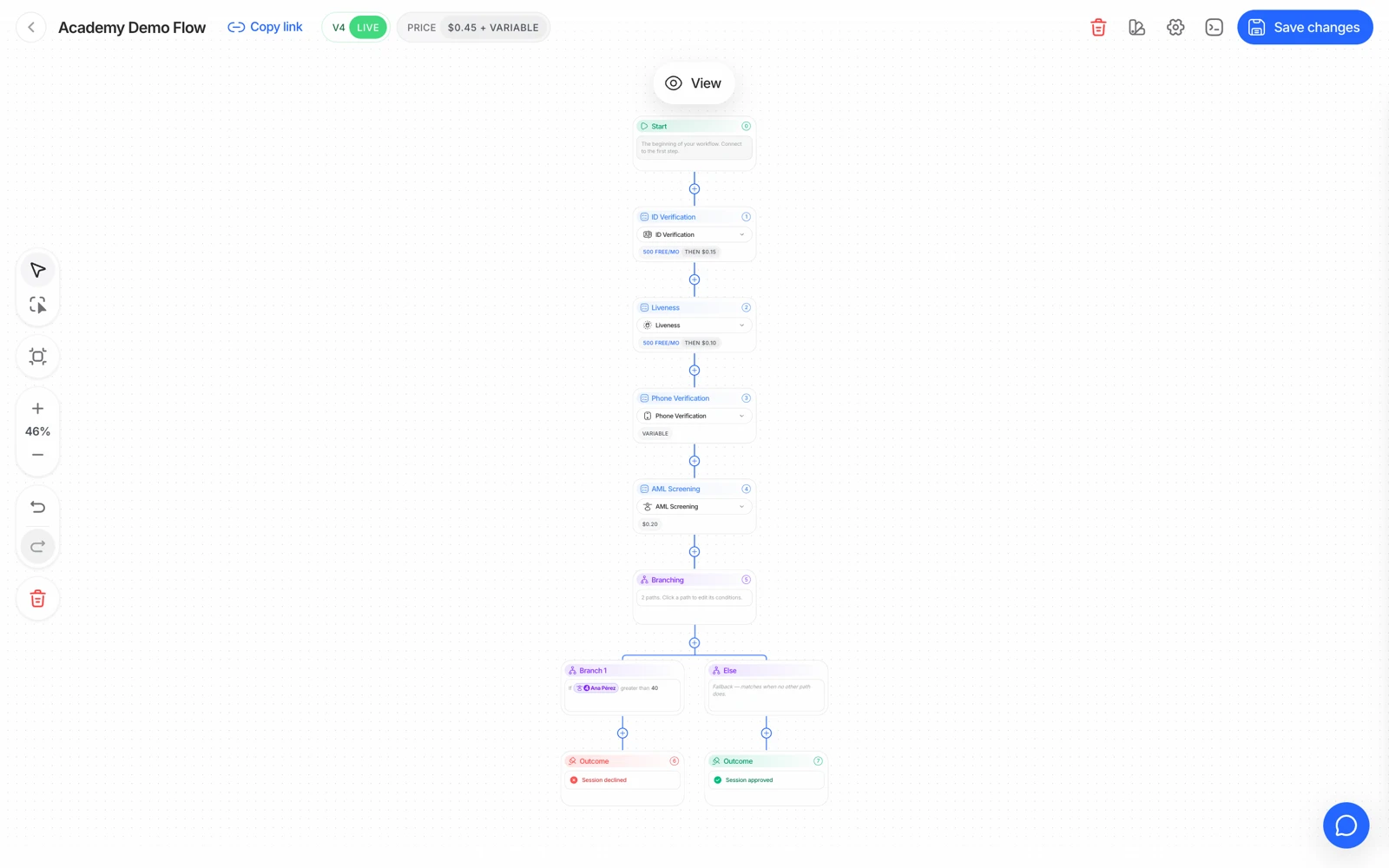
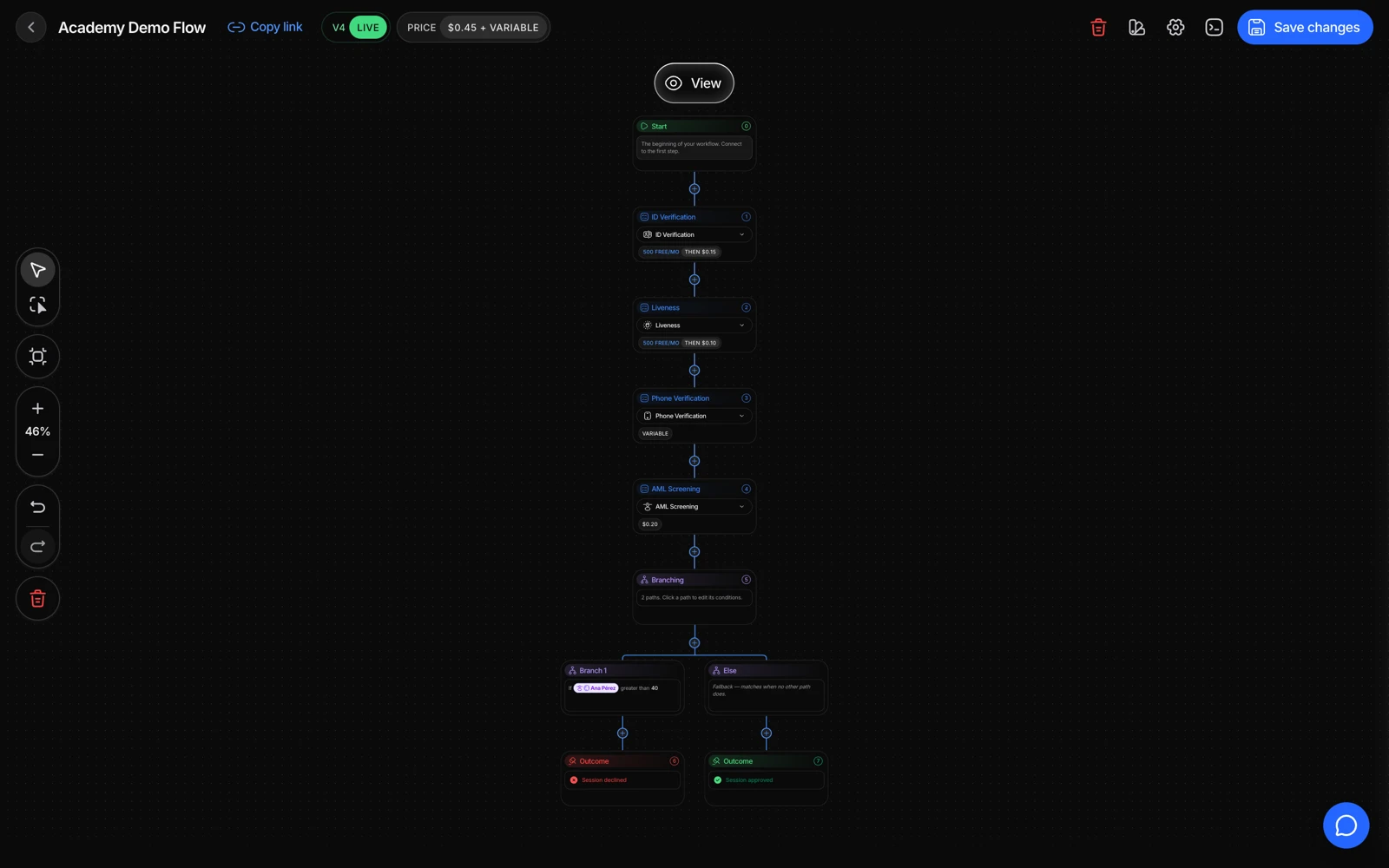
- Each feature node carries its own thresholds and its own decision.
- A check can be required or optional, which is itself a decision about who gets through.
- A changed rule reaches new sessions once the workflow is saved.
For every step, each warning it can raise maps to one of three actions:
| Action | Effect |
|---|---|
| Approve (or ignore) | The warning is recorded but doesn't change the outcome |
| Review | The session goes to In Review for a person to decide |
| Decline | The session is declined and the workflow stops |
That mapping is your policy, expressed in configuration.
#A decline stops the workflow
This is the behaviour that surprises people most, so it's worth being explicit: when a step declines, execution stops there. The steps after it never run.
Two consequences:
- The result will be missing checks you expected. They didn't fail - they never executed. A session declined at ID verification will have no liveness, no face match, no AML.
- You aren't billed for them. Billing is per completed feature, so a step that never ran costs nothing.
#Using rule order to control cost
Because a decline stops the flow, step order is a spend lever. Putting a cheap risk check in front of an expensive bundle means traffic that was never going to pass stops before you pay for the expensive part.
Device and IP analysis at $0.03 in front of a full KYC flow is the standard example: it filters out the traffic you'd reject anyway, cheaply.
The tradeoff is user experience and false positives. Device and IP signals are the noisiest checks Didit offers - corporate networks, carrier NAT, and cloud browsers all put genuine users behind shared addresses. Gating an entire flow on them will block real customers, so route them to review rather than decline unless you've measured your own traffic.
#Rules that need judgement, not automation
Some warnings are unambiguous and should decline: a failed MRZ checksum, a chip whose signature doesn't chain to its issuer, a face on your blocklist. Those are integrity failures.
Others are almost always better as review:
- Partial address matches on proof of address - formats vary by country.
- Partial name matches on database validation - authoritative sources record names differently.
- Low-confidence AML candidate hits - common names generate them constantly.
- A borderline face match - see face match scores and thresholds.
- A duplicate-face flag - which is fraud for a new account and normal for a returning customer.
And some are usability failures that deserve a retry, not a verdict: an unread NFC chip, a blurry capture, a dropped camera frame.
#Age policies
Minimum and maximum age are configured per workflow, and the action on a violation is yours to choose. MINIMUM_AGE_NOT_MET can decline outright, or route to review if your policy allows an exception with evidence. Both are legitimate; pick deliberately.
#Custom rules on extracted data
Beyond the per-warning mapping, you can write rules against the data a step extracted - for example, declining when an extracted field takes a particular value. Two things to keep in mind:
- The rule can only act on data the step actually produced. If OCR didn't extract the field, the rule has nothing to evaluate.
- A rule that declines still stops the workflow, with the same consequences as above.
If you're building a rule that turns on a protected characteristic, treat that as a legal question for your compliance team before it's an engineering one.
#Test the rules, not just the steps
A workflow's steps are easy to verify by eye. Its rules are not - the only way to know that a warning routes where you think it does is to produce that warning.
Sandbox exists for this. Each scenario forces one specific warning, so you can confirm each rule's action end to end: decline_document_expired, review_face_match_borderline, decline_aml_hit, review_poa_partial_match, and so on. See testing in sandbox.
Test the review path as carefully as the decline path. A rule that routes to review is only useful if someone actually works the queue, and the way to find out whether your review process functions is to put a synthetic session through it before a real customer is waiting.
#Changes apply to new sessions
Editing a workflow doesn't retroactively change sessions already created. A session carries the configuration it was created with, so after a rule change, test with a new session rather than re-checking an old one.