
Sessions stuck in review, and how to reduce them
In Review means the automated checks finished but flagged something a person has to settle - it never resolves by itself. Here's how to clear the queue and lower the rate.
In Review never clears on its own. It means a check flagged something and is waiting for a person on your team to approve, decline, or ask for a resubmission. If your review rate is high, the cause is nearly always a threshold set too tight - not fraud.
Didit does not review sessions. An In Review session is waiting for a person on your team, in your Business Console, and nobody at Didit is looking at it. There is no queue on Didit's side and no time estimate: it stays In Review until someone on your team decides.
Of all the statuses, In Review is the one that generates the most support questions, for a simple reason: it looks like the platform is still working, when in fact the platform has finished and is waiting for you.
#What In Review actually means
The automated checks all ran. At least one raised a warning that your workflow routes to review rather than to an automatic decision. The session now sits in your queue until a human resolves it. There is no timeout that eventually decides for you, and no way to make the system re-run the checks and change its own mind.
#Clearing a session
- Open the review queue
In the Business Console, go to Verifications and filter by status In Review.
- Read the warnings, not just the status
Open the session and look at which check flagged it and what the warning says. That determines what you're actually deciding. See how to read a verification result.
- Decide
Approve, decline, or request a resubmission of just the failing step. Add a note - it becomes part of the audit trail.
- Let your backend know
The decision fires a
status.updatedwebhook, so your system picks up the final state without you having to reconcile by hand.
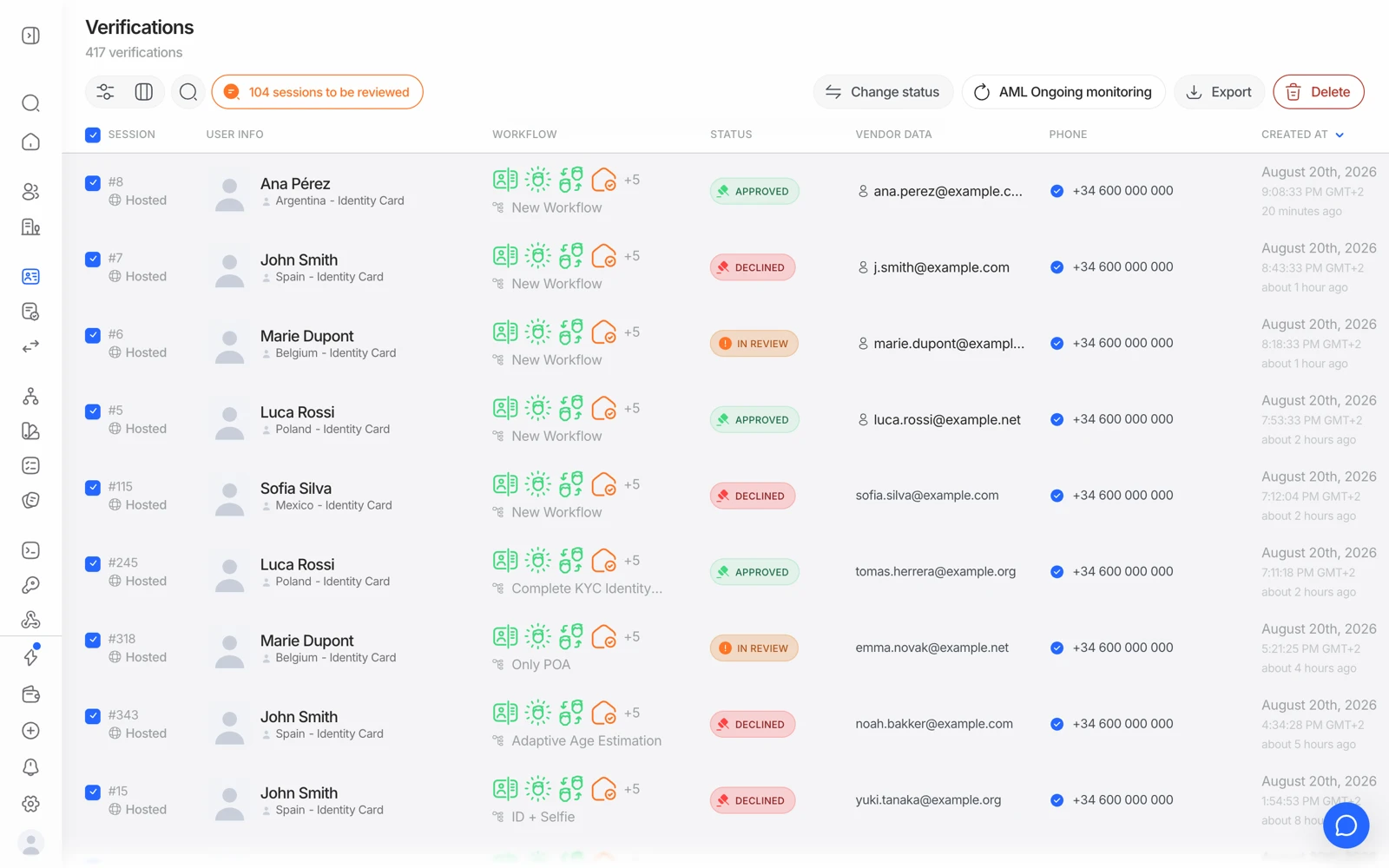
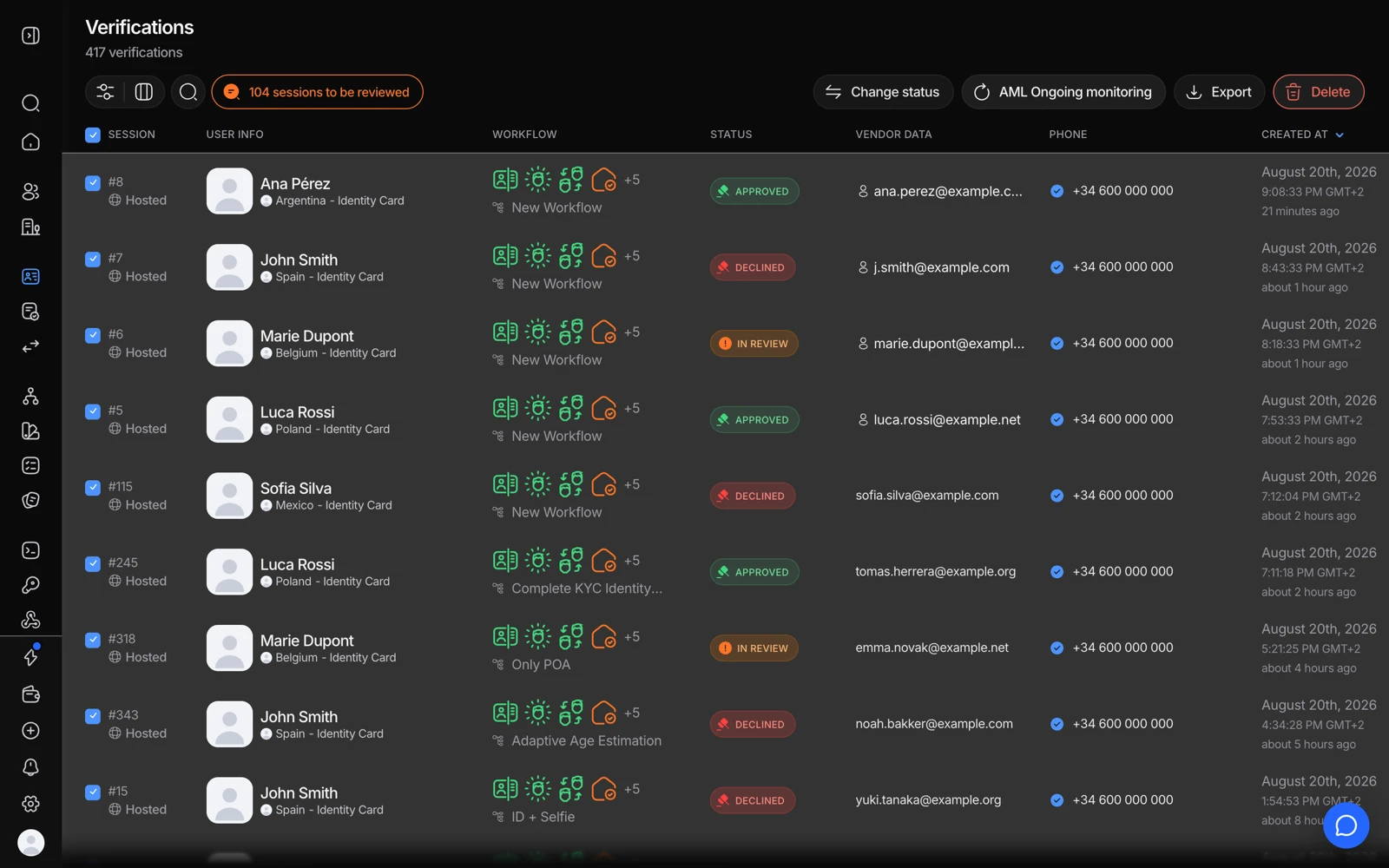
- Filter to Status: In Review to see only what is waiting on you.
- The Status column is where In Review appears; nothing moves until someone decides.
- Select rows, then Change status to approve or decline in bulk.
#Why your review rate might be high
In roughly this order of likelihood:
- Face match thresholds too close together. If your review band is wide, ordinary lighting variation lands in it. See face match scores and thresholds.
- AML review threshold set at a low match score. Common names generate candidate hits at low match scores. Setting the review threshold too low sends nearly everyone to review. See resolving AML hits.
- Proof of address partial matches. Address formats vary enormously by country; an abbreviation difference reads as a partial match. Decide deliberately whether a partial match should review or pass.
- Database validation partial matches. Same cause - a name recorded differently in an authoritative source.
- Duplicate-face flags on legitimate returning users. If the same real person verifies more than once, they'll match themselves. See duplicate detection.
- Every warning routed to review "to be safe". Reviewing everything is the same as reviewing nothing, because the queue stops getting worked. Pick the warnings that genuinely need judgement.
#Reordering the workflow to review earlier and cheaper
If your flow is expensive and a lot of sessions end up in review anyway, moving the cheap risk checks to the front means the flow stops before the expensive ones run. Device and IP analysis at $0.03 in front of a full KYC flow will cut spend on traffic that was never going to pass.
The tradeoff is user experience: a person who gets stopped at step one has invested nothing, but they also learn nothing about why. Decide which matters more for your funnel.
#Four-eyes review
If your compliance process requires two people to sign off on a decision, Didit supports a four-eyes flow where a second reviewer must confirm. See four-eyes review.
#What In Review is not
- It is not "still processing." If you're waiting for the platform to finish, the status you want is In Progress.
- It is not a soft decline. An In Review session has no verdict at all yet, so don't map it to "rejected" in your own system - map it to its own pending state.
- It is not something support can decide for you. Only your team has the authority to approve or decline your own customer. Support can explain why a session flagged, and will need the
session_idto do it.
#Ongoing monitoring can push an approved session back to review
If you have AML monitoring enabled, a previously approved session can move to In Review later, when a daily re-screen finds a new hit that crosses your review threshold. That's expected behaviour, not a regression - and it's the whole point of monitoring. See ongoing AML monitoring.