
Duplicate accounts and face search
Liveness automatically compares each face against everyone you have already verified and against your blocklist - here's what the duplicate flags mean and how to stop flagging legitimate returning users.
Every liveness check automatically runs a 1:N face search against the users
you've already verified and against your blocklist. A duplicate flag means the
same face appeared before - which is fraud when it's a new account and
completely normal when it's a returning customer. Distinguish them with
vendor_data.
#What runs automatically
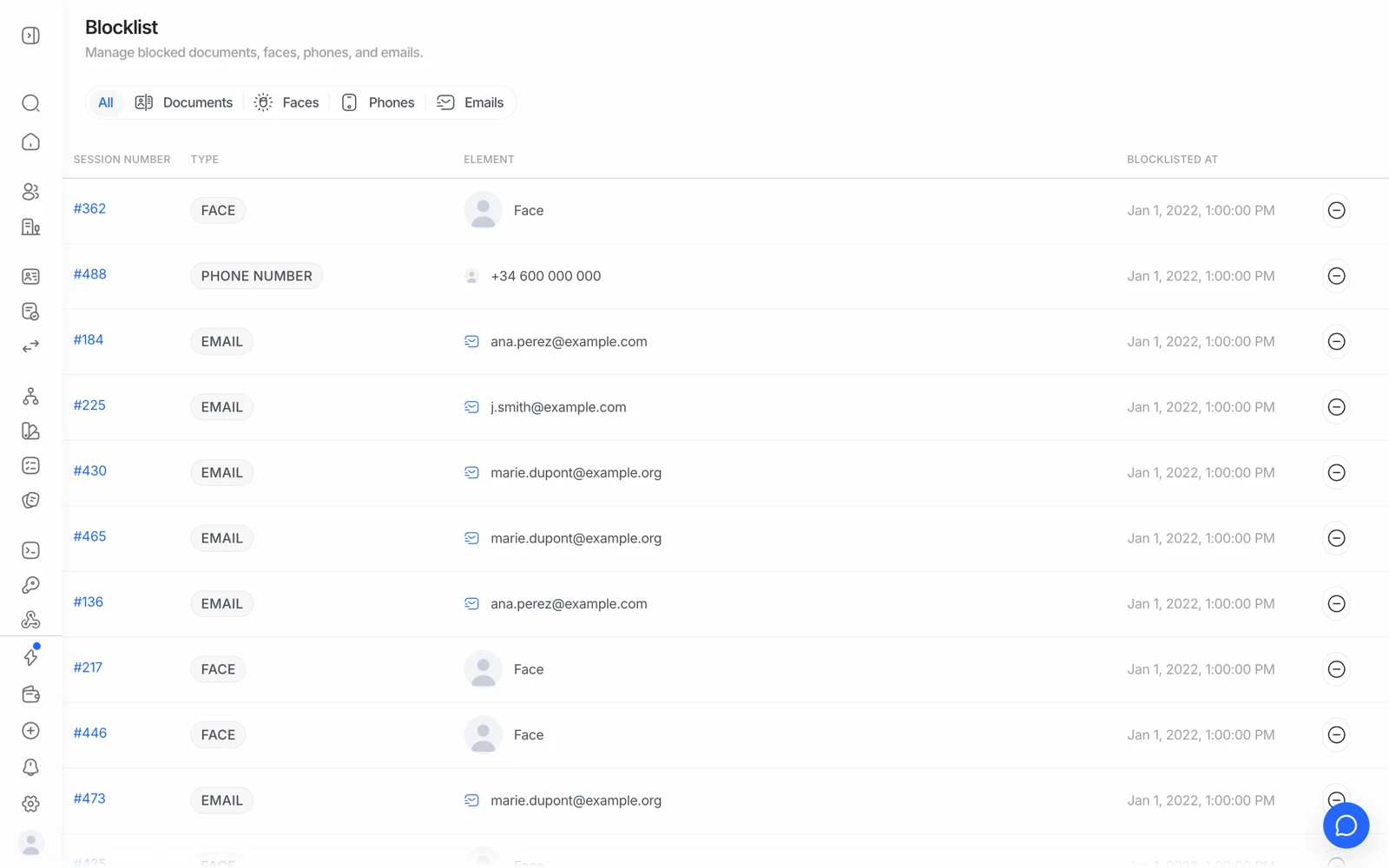
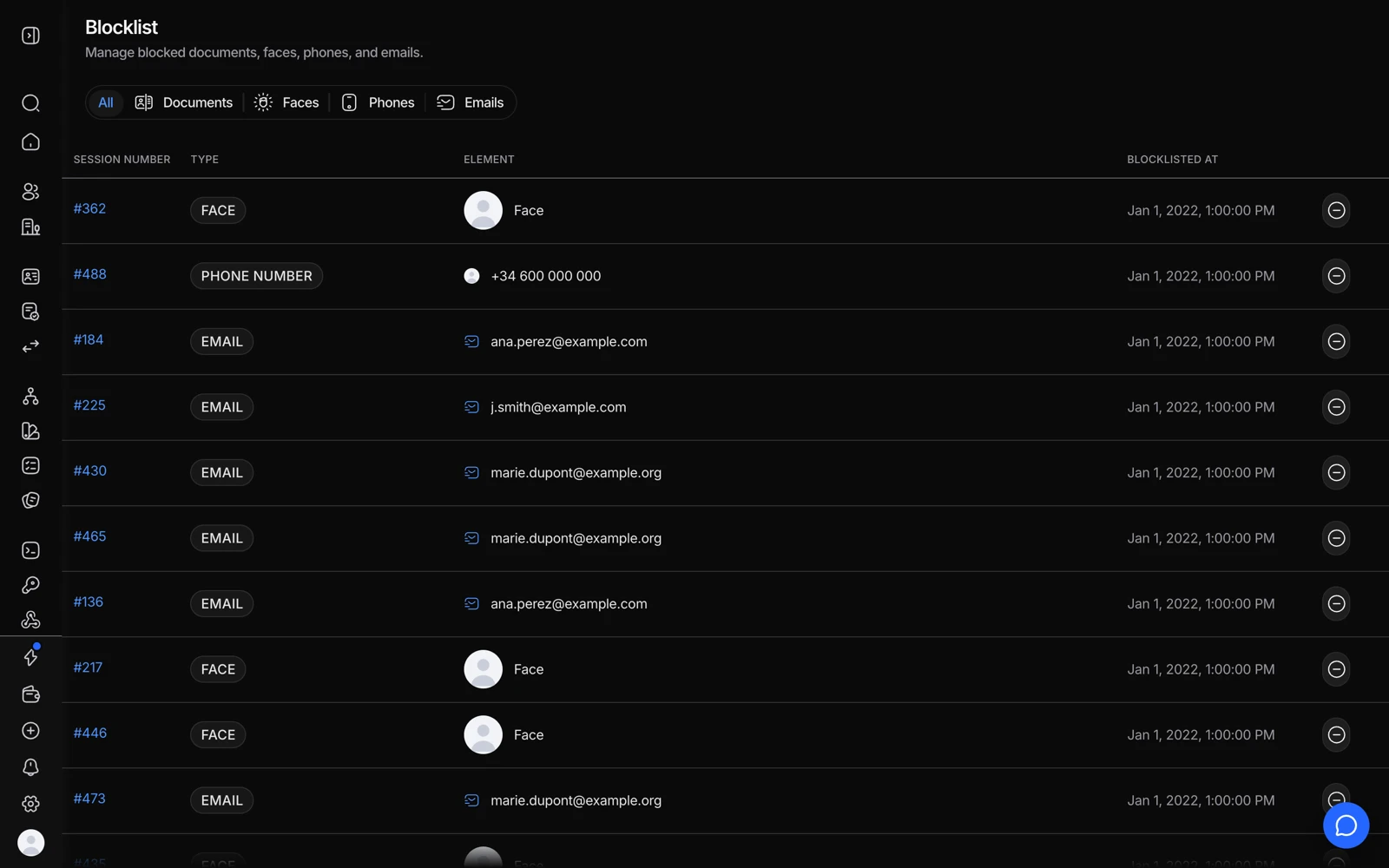
- Faces blocks a person even when they return with a different document.
- Documents blocks a specific document number.
- The Element column shows exactly what was blocked.
- A legitimate returning user can be released from here.
When someone completes a liveness check, Didit compares their face against every previously verified user in your organization and against your blocklist, without you having to enable anything separately:
- A match against an existing verified user raises a possible-duplicate flag on the session.
- A match against a blocklisted face declines the verification.
The sensitivity is governed by the similarity thresholds you configure, and what happens on a match - decline, review, or pass with a flag - is governed by your workflow's rules.
#Duplicate is not the same as fraud
This is the distinction that matters, and the platform can't make it for you: a duplicate face means this face has verified here before. Whether that's a problem depends entirely on your product.
| Situation | Duplicate flag is… |
|---|---|
| One person opening a second account to abuse a signup bonus | The signal you wanted |
| A legitimate customer re-verifying after their KYC expired | Expected and harmless |
| A customer who abandoned and started over | Expected and harmless |
| A shared device in a family or a shop | Needs a human look |
#Stopping legitimate returning users from being flagged
The fix is to tell Didit that the two sessions are the same person, which you do with vendor_data.
Set vendor_data to your own internal user ID when you create a session. Sessions sharing a vendor_data are grouped into one consolidated user, so a returning customer reads as the same person rather than a new one wearing a familiar face.
If you're seeing duplicate flags on your own genuine repeat customers, check
whether your integration is passing vendor_data at all. Sessions created
without it can't be linked, so every re-verification looks like a stranger who
happens to match.
For deliberate re-verification of a known user, biometric authentication is the purpose-built module: it re-confirms a returning user by face without redoing the whole document flow.
#Reviewing a flagged duplicate
The session result carries the reference to the earlier session that matched, so you can open both and compare side by side - same name, same document number, different name on the same face, and so on. That comparison is what tells you which of the situations above you're in.
If it's genuine abuse, add the face to your blocklist so the next attempt declines automatically. If it's your own returning customer, approve it and fix the vendor_data gap so it stops happening.
#Deleting data affects future duplicate detection
Duplicate detection works by comparing against data you still hold. If you delete a session, that session is gone - so the face it contained is no longer there to match against, and a later attempt by the same person will not be recognised as a duplicate of it.
That is the honest tradeoff between data minimisation and fraud detection, and it's worth deciding deliberately rather than discovering later. See deleting verification data.
#Searching for a face yourself
Beyond the automatic check, face search is available as an API so you can search your verified users for a specific face on demand - useful for investigating a fraud pattern after the fact rather than at onboarding. See face search.
#Device and IP signals are a separate layer
A duplicate face is one signal; a shared device fingerprint or a suspicious IP is another. They're independent checks, and a determined abuser will usually trip one before the other. Device and IP analysis is inexpensive and has its own 500-check monthly free allowance, so it's a cheap addition to a flow that already runs liveness.
Device and IP signals produce false positives on shared infrastructure - corporate networks, mobile carrier NAT, and cloud-hosted browsers all put many genuine users behind one address. Route those to review rather than declining on them alone.