
What counts as a billable check
You're billed per feature that completes, not per session - so abandoned flows, declined steps that stop the workflow, and steps that never ran cost nothing.
The unit is a completed feature, not a session. Each feature in the workflow that finishes and returns a result bills its own price; a feature that never ran - because the person abandoned, or an earlier step declined and stopped the flow - costs nothing.
#The unit of billing
A session isn't a price. A session is a container for however many features your workflow enabled, and each of those features has its own price and is billed when it completes.
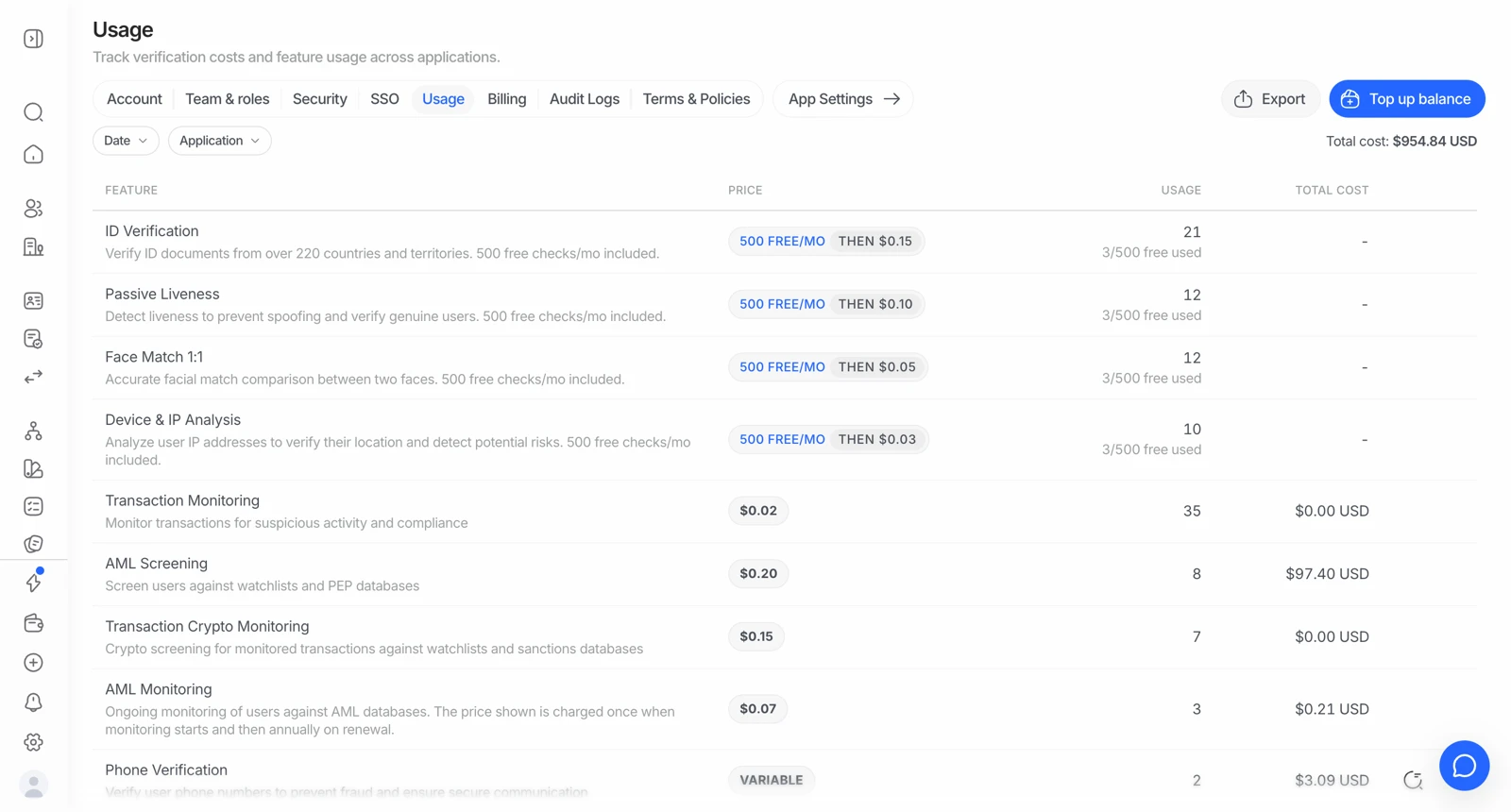
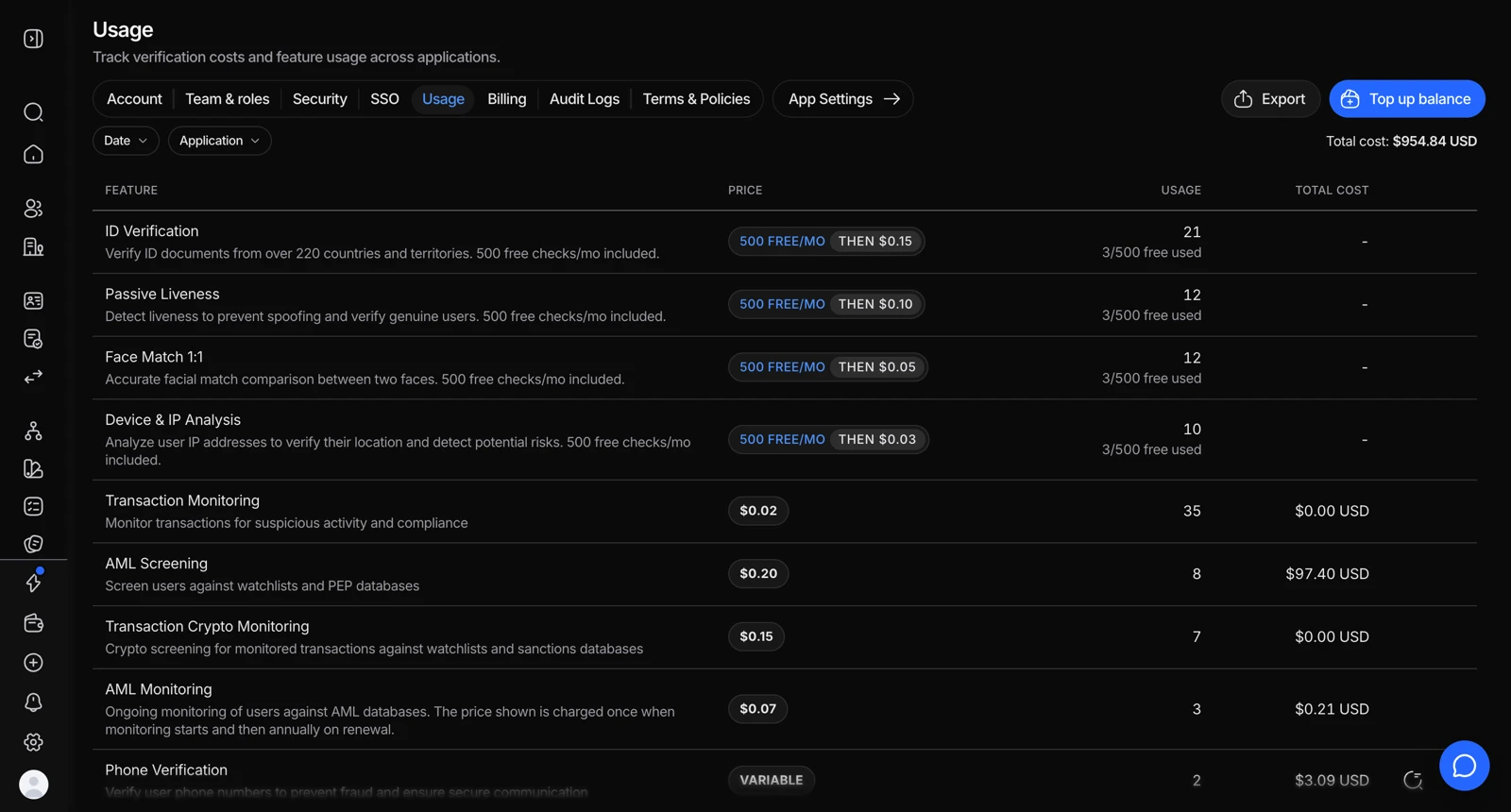
- One line per feature, because each feature is priced and allowanced separately.
- The unit price for that feature.
- What the range actually cost after each feature's free allowance.
- Export downloads the same breakdown as CSV.
So a workflow's cost is the sum of the features that actually finished in that session.
#The full price list
| Feature | Price |
|---|---|
| ID verification | 500 free / month, then $0.15 |
| Passive liveness | 500 free / month, then $0.10 |
| Face match 1:1 | 500 free / month, then $0.05 |
| Device and IP analysis | 500 free / month, then $0.03 |
| Active liveness | $0.15 |
| NFC verification | $0.15 |
| Biometric authentication | $0.10 |
| Age estimation | $0.10 |
| Phone verification | from $0.03 + carrier fee |
| Email verification | $0.03 |
| AML screening | $0.20 |
| Ongoing AML monitoring | $0.07 / year |
| Proof of address | $0.20 |
| Questionnaire | $0.10 |
| Database validation | Varies by country |
| Reusable KYC | Free |
| White label / custom branding | $0.20 |
| Business verification (KYB) | $2.00 |
| Company AML screening | $0.20 |
| Person AML, per UBO or officer | $0.20 |
| Transaction screening | $0.02 |
| Wallet verification & screening | from $0.15 ($0.02 with your own provider key) |
| Travel Rule | $0.02 per outbound transfer |
Prices are per completed feature. The current authoritative list is the pricing page.
#What you are not charged for
- A step the person never reached. Abandon at document capture and the liveness, face match, and AML steps cost nothing.
- A step that never ran because the flow stopped. When a step declines, the workflow stops and the later steps don't execute - so they're not billed. See decision rules and thresholds.
- A session that expired unopened. Nothing ran, so nothing is billed.
- Anything in sandbox. Sandbox applications bypass billing entirely, and the balance check with it.
#What you are charged for
- A completed feature, regardless of its verdict. A feature that finishes and returns declined did the work, so it's billed. You pay for the check, not for the answer you wanted.
- Each feature separately. A session running ID verification, passive liveness, face match, and AML bills four independent lines, each against its own allowance or price.
- A retried step that completes again. Which is why a resubmission of one step is cheaper than a brand-new session that reruns everything. See letting someone try a verification again.
- White label, per completed verification, on top of the module prices.
#Worked examples
Free KYC flow, inside the free tier. ID verification + passive liveness + face match + device and IP analysis, at low volume: $0.00 - each of the four draws on its own 500-check allowance.
The same flow with branding. Add white label: $0.20 per completed verification. The four checks are still free; the branding is not.
A KYC flow with AML. The four free checks + AML at low volume: $0.20 - the AML screen alone.
Beyond the free tier. The same KYC flow once all four allowances are used up this month: $0.15 + $0.10 + $0.05 + $0.03 = $0.33 per session.
A KYB session. Business verification $2.00 + company AML $0.20 + person AML for three officers $0.60 + KYC for two UBOs at standard rates. The number of people, not the company, drives the cost.
#Standalone API calls have no free allowance
A feature called directly through its standalone API, outside a workflow, is billed per call - including features that are free inside a workflow. If you moved a check out of a workflow and your spend went up, that's why.
#Watching your spend
Analytics shows volume per feature, which is the number to watch: your bill is a function of completed features, so a spend surprise is always a volume surprise on some specific feature. See reading your analytics.
If a workflow costs more than you expected, list its enabled features and multiply. The arithmetic almost always explains it, and the answer is usually one feature you forgot was on - check the Options tab as well as the step list, since white label lives there.