
Top-ups, invoices and payment methods
How to add credit to your Didit balance, which payment methods are supported, how auto-refill works, and where to find your invoices.
Top up from Settings → Billing. Minimum $50, tax added by billing address. Card, SEPA, US ACH and crypto are supported; PayPal is not. Turn on auto-refill so you don't hit zero mid-traffic.
You add funds to your Didit balance from Settings > Billing in the console at business.didit.me, or programmatically through the top-up API. Each top-up has a $50 minimum, and tax is added automatically based on your billing address.
#Payment methods
| Method | Supported |
|---|---|
| Card | Yes |
| SEPA direct debit | Yes |
| US bank account (ACH) | Yes |
| Cryptocurrency | Yes |
| PayPal | No |
| Bank transfer for larger amounts | Enterprise, via your account manager |
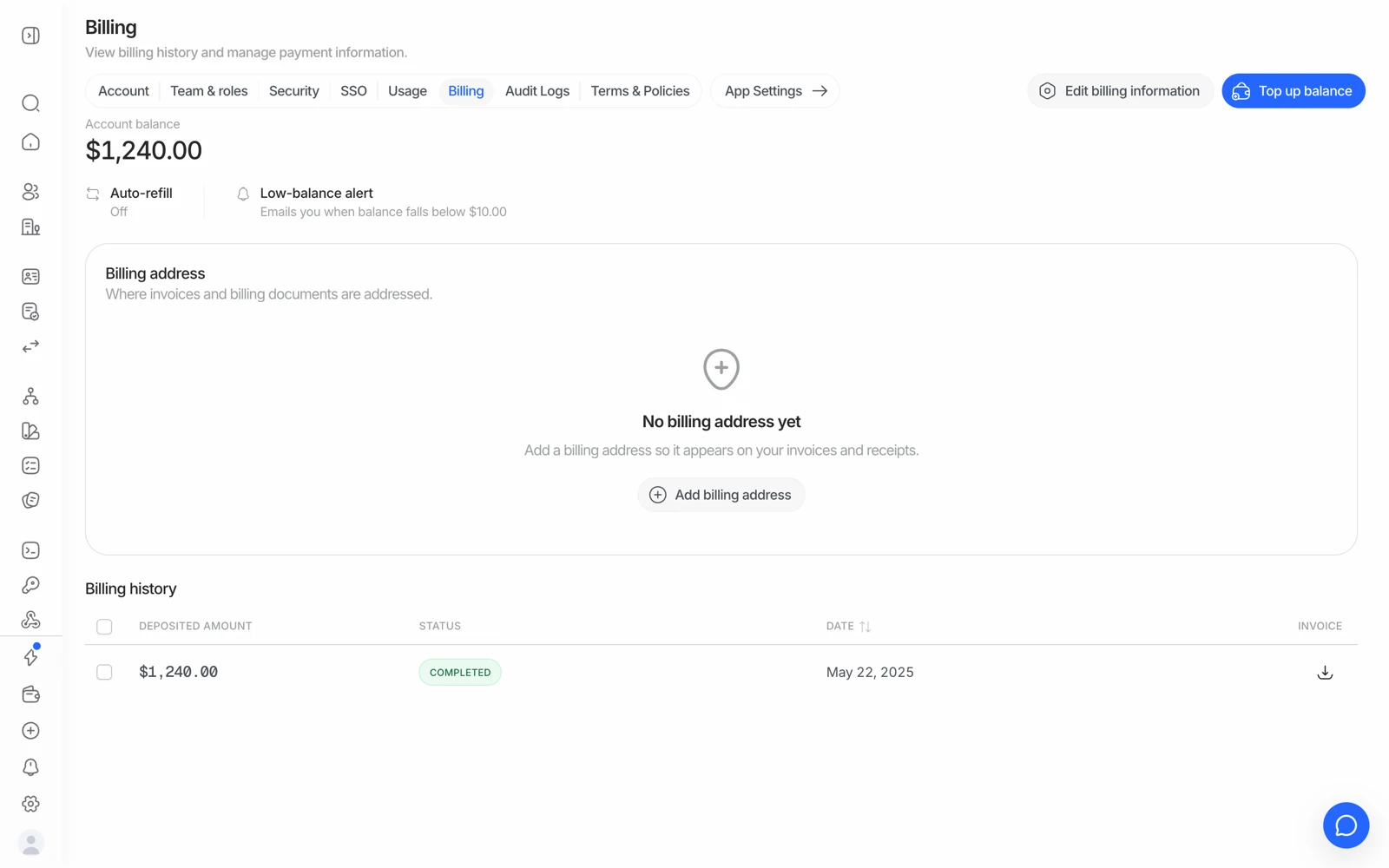
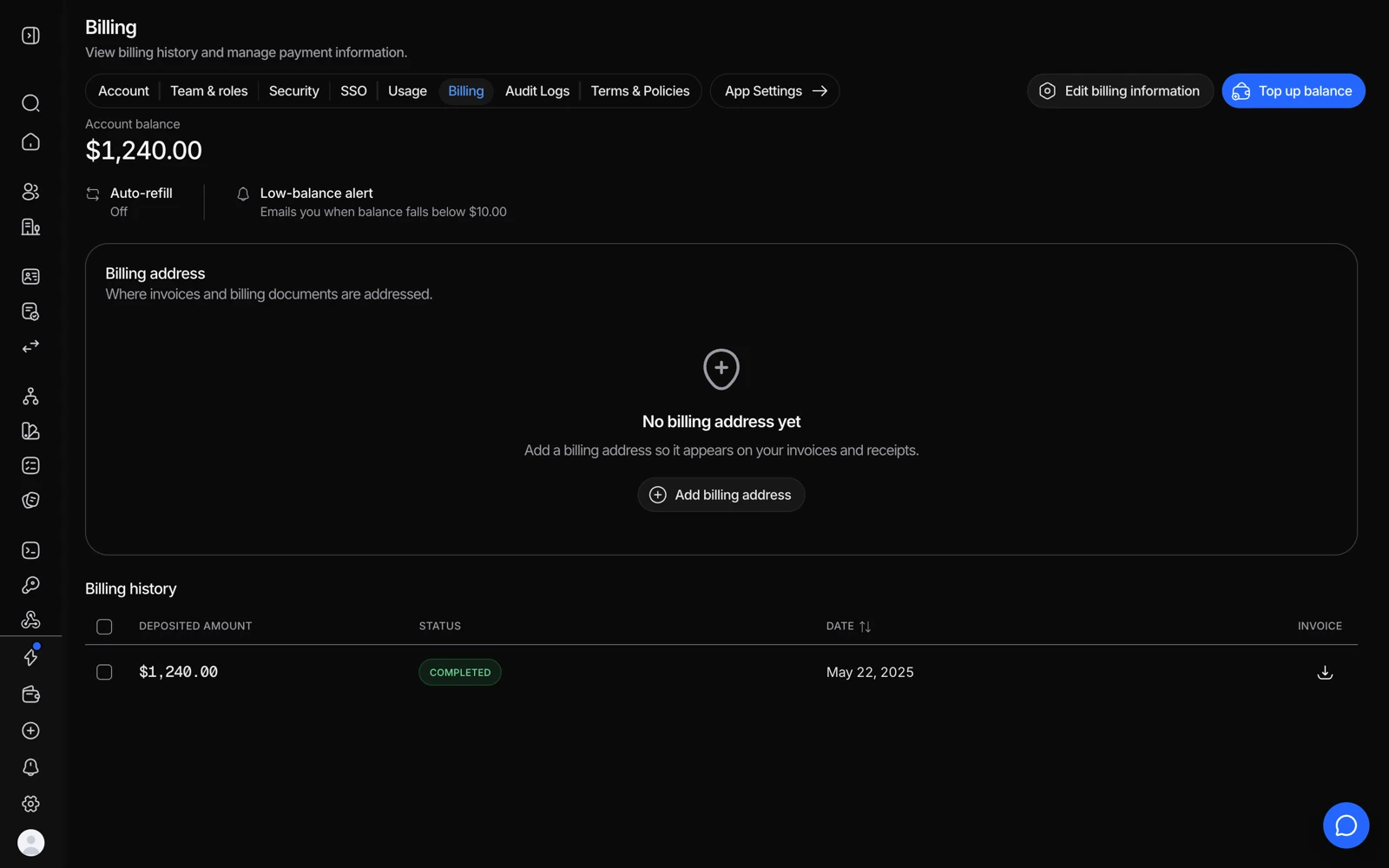
- Top up balance is where credit is added.
- Edit billing information sets the company details that appear on invoices.
- An address here is what makes an invoice usable for accounting.
- Every top-up is listed with its invoice to download.
Payments are processed through Stripe.
If your organization is on an annual plan, top-ups go through your account manager rather than the self-serve flow. A self-serve attempt will tell you to contact them rather than failing silently.
#Auto-refill
To avoid running out of credits mid-traffic, turn on auto-refill in Settings > Billing. With a saved payment method (card, SEPA, or US ACH), Didit charges that method for a set amount whenever your balance drops below a threshold you choose.
This is the single most useful billing setting to enable, because a balance that hits zero blocks all billable work - including your free-tier checks - until it's topped up.
#Features that unlock with your first top-up
Phone verification and database validation only activate once your organization has made a first top-up. Promotional or welcome credits (such as the $10 new-account credit) don't count as a top-up for this purpose.
Until that first top-up, a workflow that includes one of these features will skip it or fail the request - a session can even come back approved with its database validation step silently not performed. If a feature you configured isn't running and you've never topped up, this is the first thing to check.
#Checking your balance
Your current balance is in Settings > Billing, and readable programmatically from the balance endpoint. It updates in real time as verifications are billed and as top-ups settle.
If you're monitoring it from your own systems, alert on a threshold rather than on zero - by the time it reads zero, requests are already failing.
#Invoices and billing history
Invoices become available once you've generated billing activity. If you haven't made a top-up or run any billable verification yet, there's nothing to show - which is expected rather than a missing invoice.
Billing and invoice visibility is controlled by role: included for Owner by default, and an organization owner can grant it to a custom role. If a teammate can't see invoices, check their role before reporting it. See inviting team members and setting roles.
#A top-up that hasn't appeared
Card payments settle quickly; SEPA and ACH do not, and crypto depends on confirmations. Before reporting a missing top-up, check whether the method you used is one that settles on a delay.
If a card payment shows as taken and the balance hasn't moved after a few minutes, that's worth reporting - include the payment reference.
#Refunds
Credit purchases are non-refundable. Since credits never expire, any balance you've added stays usable whenever you need it - see how pricing and credits work.
#Capping spend during testing
The reliable way not to spend money while integrating is not a limit - it's a sandbox application, where billing is bypassed entirely. If you need a hard ceiling on a live application as well, ask support what's available for your organization. See testing in sandbox.
#If a session is being blocked
See fixing a "not enough credits" error - the cause is usually a paid feature in the workflow rather than the balance itself.