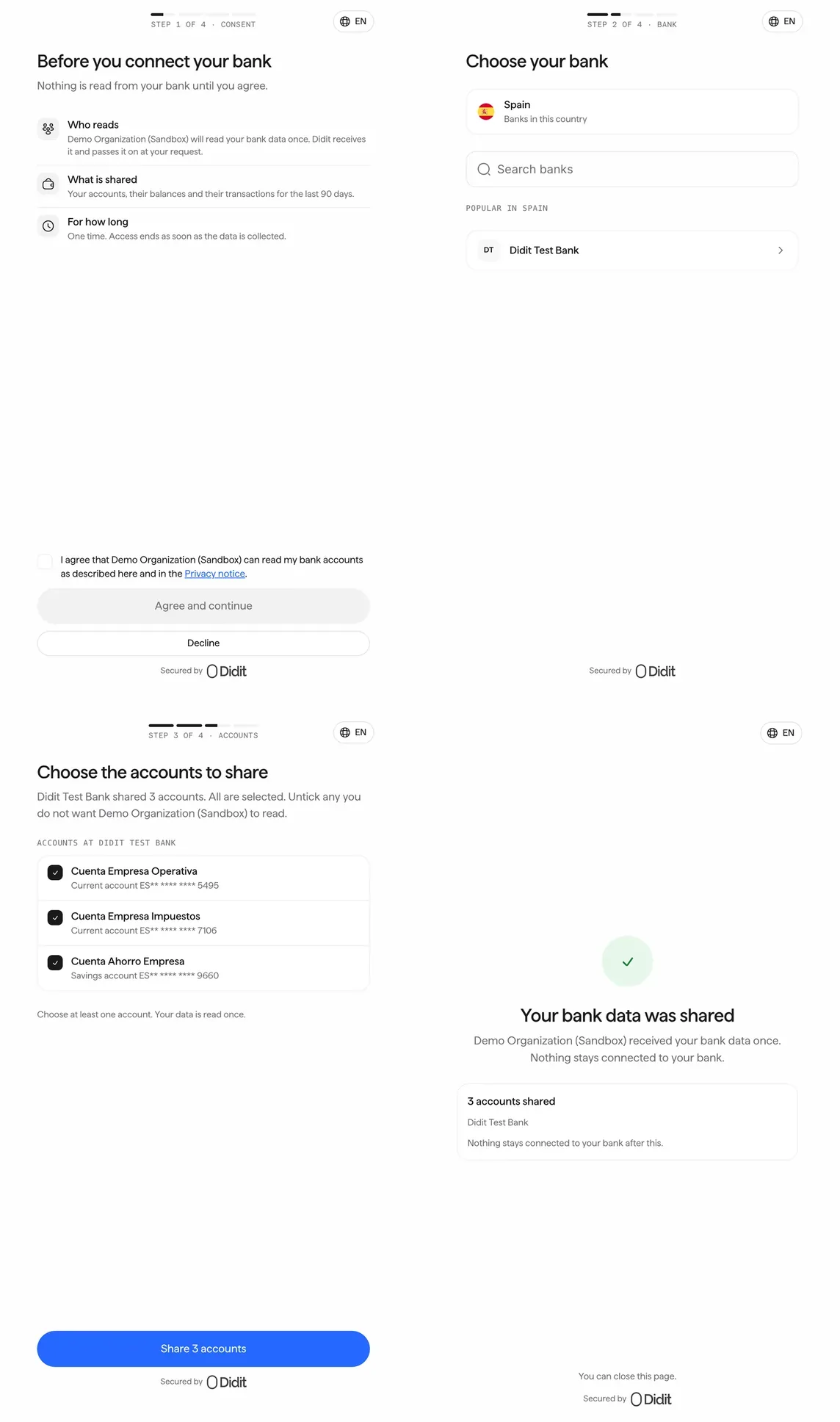
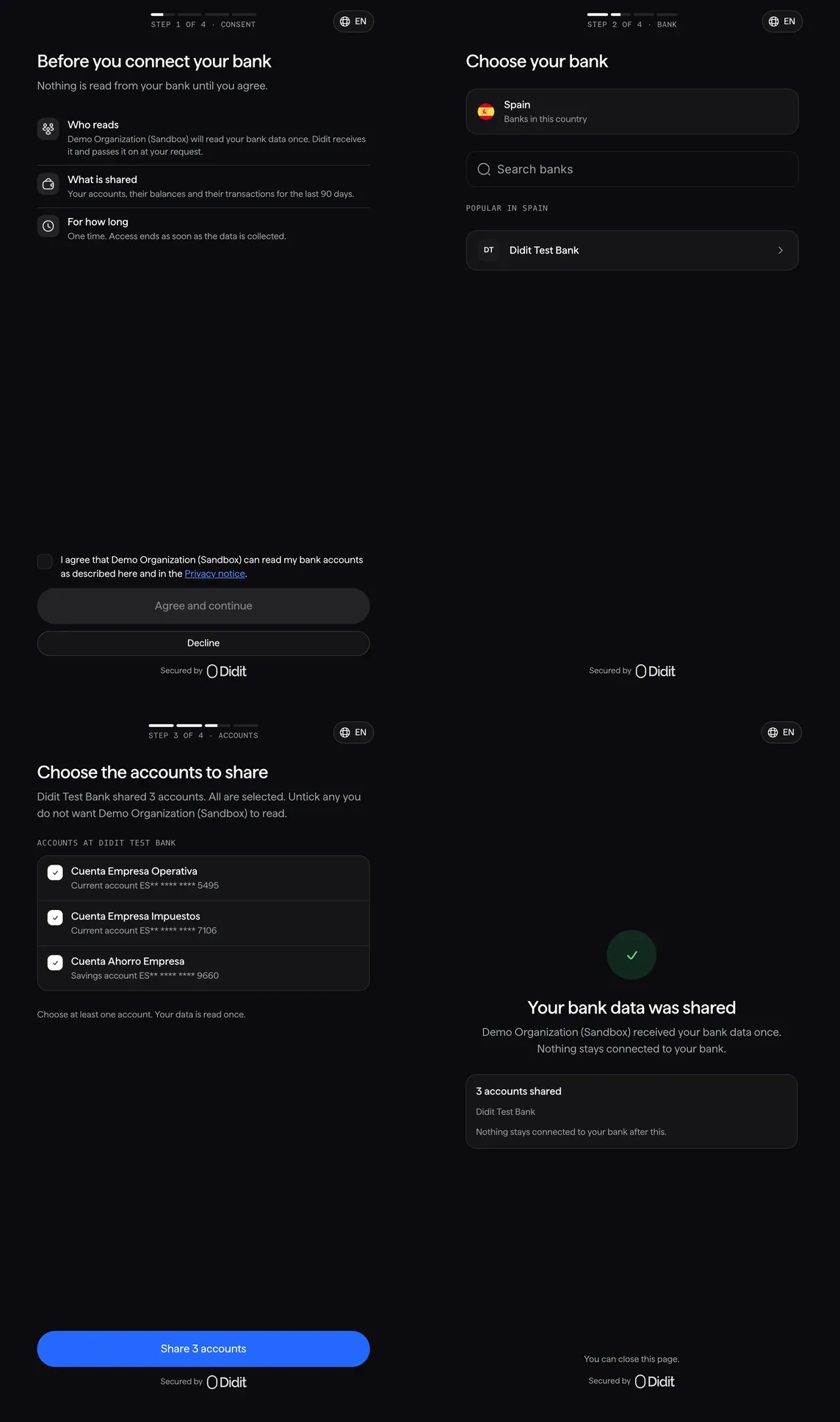
Bank Link is a hosted page with four screens: consent, choose the bank, choose the accounts, done. See what the person is told and that they can decline.
The person opens your link and goes through four screens on a page Didit hosts: consent, choose the bank, choose the accounts to share, and done. Nothing is read from their bank until they agree, they can decline at the first screen, and they sign in on their bank's own page, so Didit never sees their bank password. Bank Link works in Sandbox applications today, with the Didit Test Bank.
#The four screens
- Consent
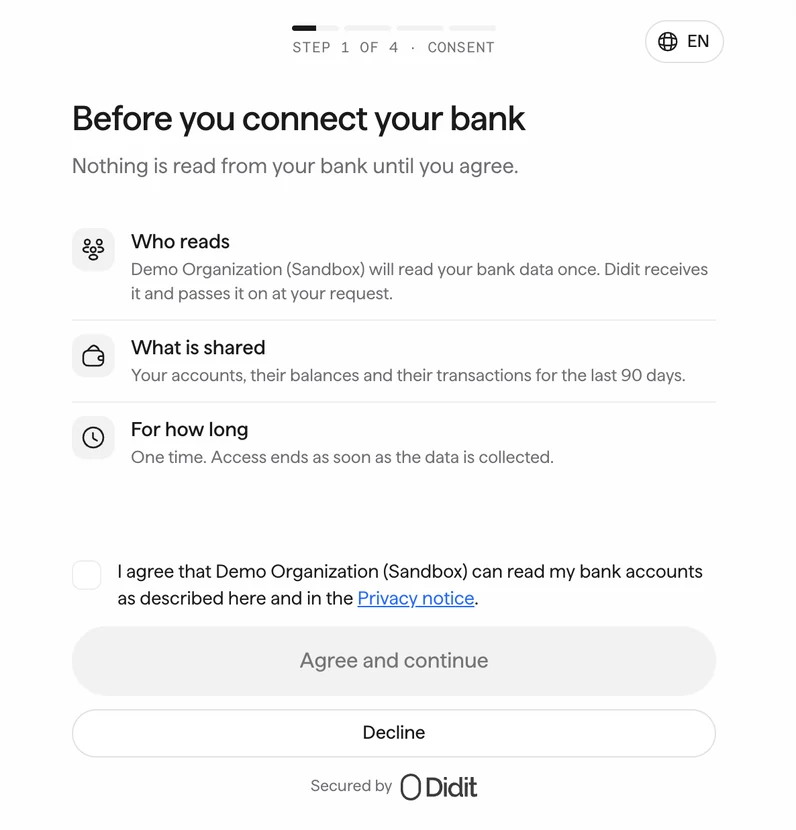
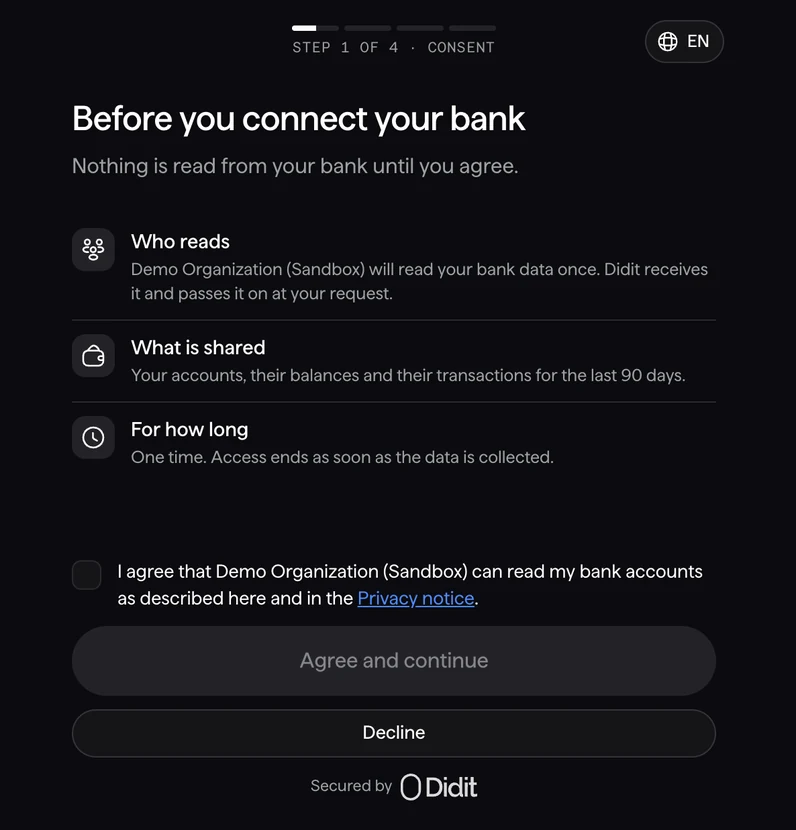
The first screen, Before you connect your bank, says who will read the data (your name and logo), what is shared (accounts, balances and transactions back to a date), for how long, how often the data is refreshed and how to stop. It also says that Didit receives the data and passes it on at the person's request. The person ticks the agreement, which links to the privacy notice, and presses Agree and continue. They can press Decline instead.
- Choose the bank
The person picks their bank from a list of banks that can do what your link asks. With ongoing access the list shows only banks that can keep access open. If the bank separates personal and business accounts and your link did not say which, the person is first asked which kind they have.
- Sign in at the bank
The person is sent to their bank's own sign-in page and brought back afterwards. Bank sign-in never happens inside Didit's screens, and Didit does not see or store the person's bank sign-in details.
- Choose the accounts to share
Every eligible account is selected. The person can untick any of them, as long as at least one stays selected, and presses Share accounts.
- Done
The last screen confirms that the bank data was shared and how many accounts were shared. For ongoing access it also says until when. The person can close the page.
The screens are numbered in four steps in the page header. The sign-in at the bank happens between choosing the bank and choosing the accounts.
#What the person is told
- Who reads: your organization's name and logo.
- What is shared: accounts, balances and transactions for a number of days back.
- For how long: for a one-time read, until the data is collected. For ongoing access, until a date, with a reminder that they can stop at any time.
- How often: how often the data is refreshed.
- How to stop: the person can stop sharing at their bank whenever they want. See stopping access and deleting a connection.
#If the person declines or closes the page
- Declining at the first screen reads nothing and shares nothing.
- Closing the tab does not lose a consent the person already gave, because the state of the link lives on Didit's servers, not in the browser.
- A link expires after 60 minutes by default, and you can set it between 5 minutes and 24 hours. After that you create a new link.
#If the person cancels at their bank
If the person leaves their bank without finishing, they come back to the list of banks, with a notice and a Try again button.
The notice says "You did not finish at your bank. Nothing was shared. You can try again, or choose another bank below." and names the bank.
The link stays open: Try again opens the same bank again, and the person can also choose another bank.
After the fifth unfinished attempt on the same link, the page says "The bank connection was cancelled. Nothing was shared. Ask the business for a new link to try again.", with the business name, and the link has ended.
For you, the link's status stays opened until then, and then it is failed with the reason bank_cancelled.
Nothing is charged for an unfinished attempt.
#Where the person goes at the end
If your link carries a return address that Didit accepts, the browser goes back to it a few seconds after the last screen.
Without one the person finishes on Didit's own result page.
In a Sandbox application only a plain http address on localhost works as a return address today.
Your server always confirms the result with the bank.link.completed webhook or by reading the link, never by what the browser says.
#What you see
You do not see the person's bank password or any sign-in detail. You receive only what the person chose to share: the accounts they left selected, with their balances and transactions.
#Related
- Try bank data in the Sandbox
- One-time read or ongoing access
- Bank Link in the Didit documentation
- Hosted Bank Link in the Didit documentation
Still stuck? Talk to a human.
Include your organization ID and the session ID you are asking about.