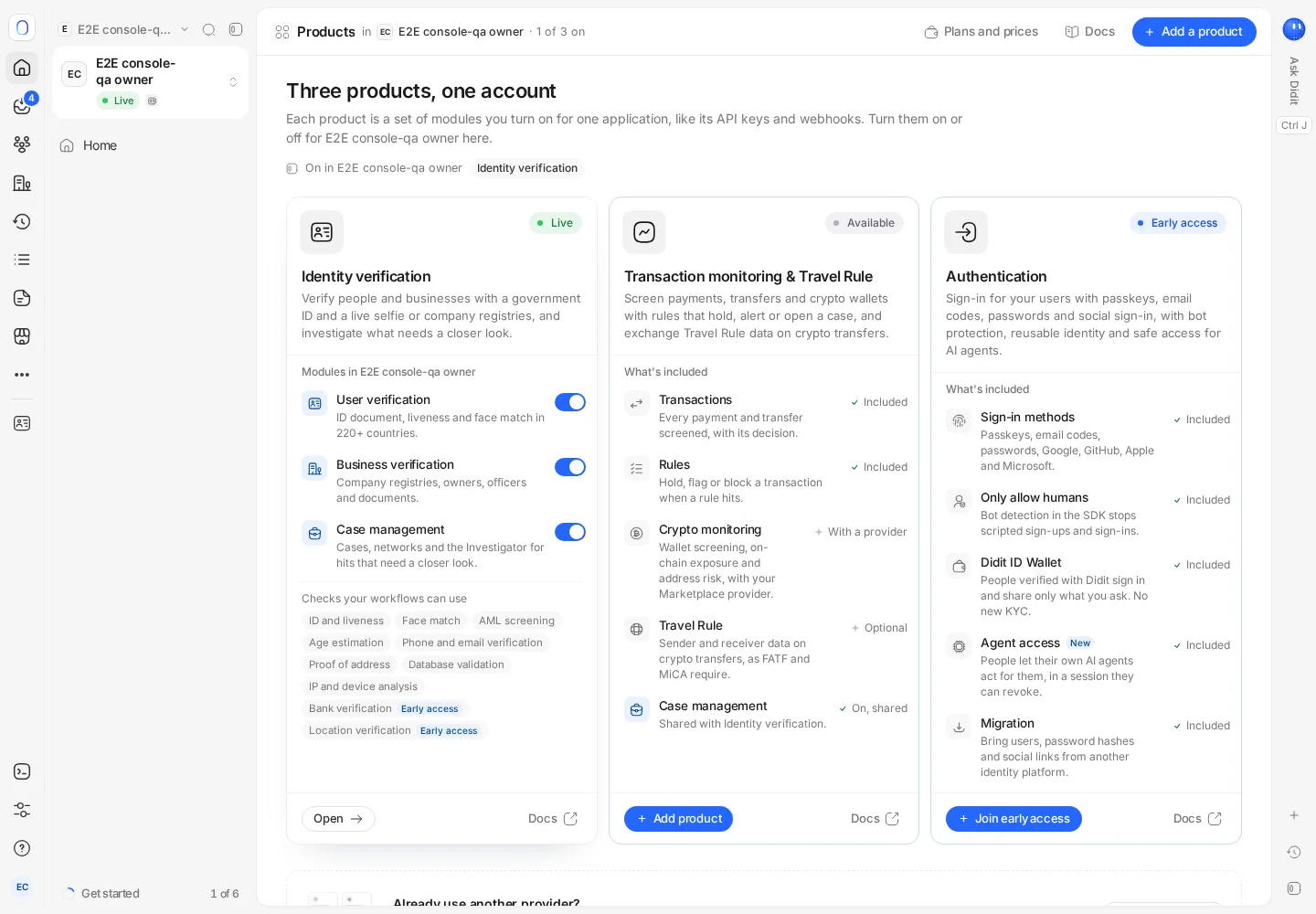
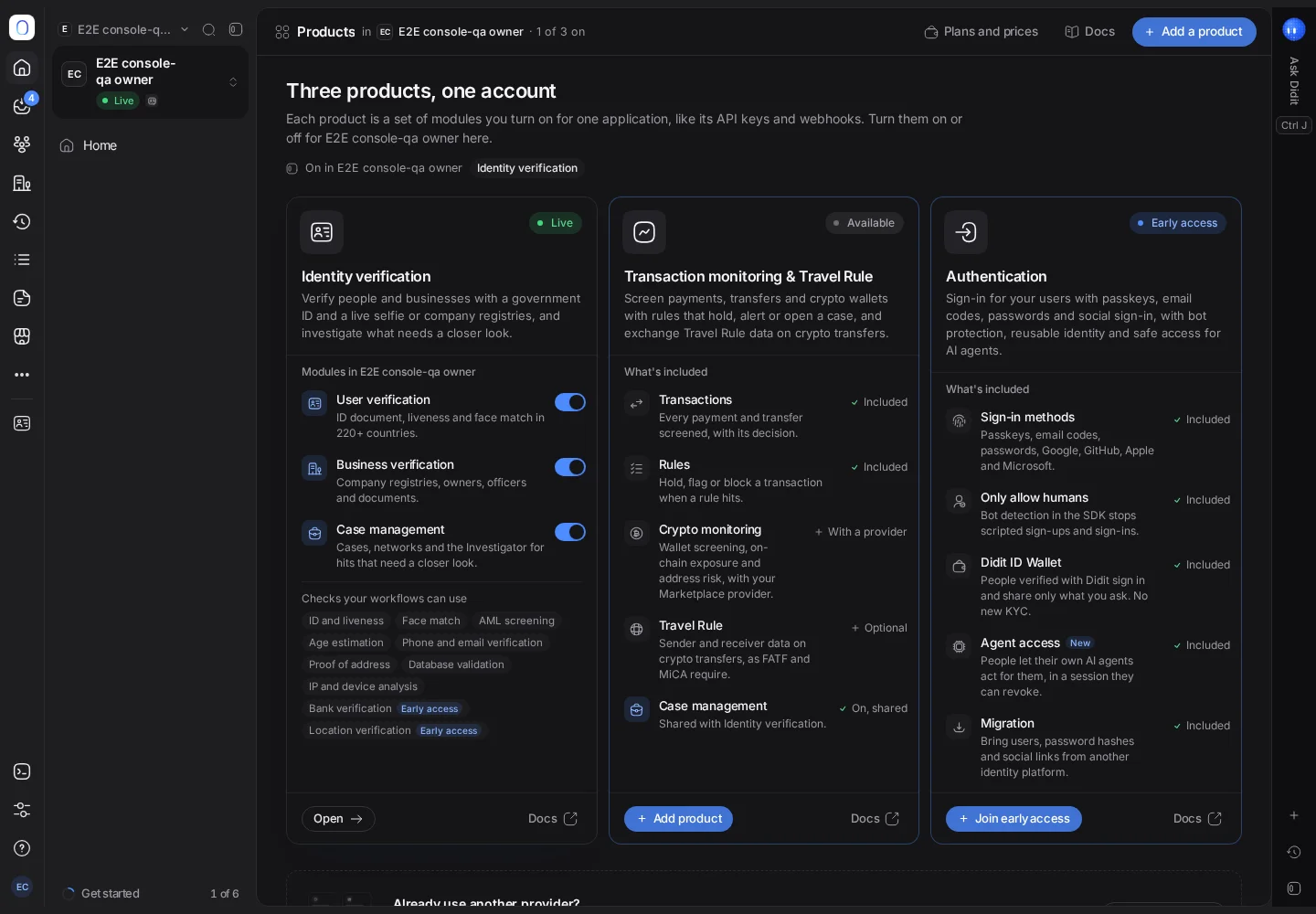
Didit has three products: Identity verification, Transaction monitoring and Travel Rule, and Authentication. Each is a set of modules you turn on per app.
Didit has three products: Identity verification, Transaction monitoring & Travel Rule and Authentication (in early access). Each application has the products you turn on for it, and each product you have gets its own entry in the sidebar. Turning a product on or off affects that application only.
Turning products on and off per application, and the Products page, are rolling out and may not be available to your organization yet. Until then, your sidebar shows Identity verification and Transaction monitoring & Travel Rule.
#The three products
| Product | What it includes |
|---|---|
| Identity verification | User verification (KYC), business verification (KYB) and, where available, case management |
| Transaction monitoring & Travel Rule | Transactions, rules, crypto monitoring, Travel Rule and, where available, case management |
| Authentication | Sign-in methods, bot protection, the Didit ID Wallet, agent access and migration. In early access |
Where case management is available, it's shared: cases, networks and the Investigator work across identity and transactions. See working with cases.
#Products in the sidebar
Each product your application has appears in the sidebar after the More button, with its own pages. More lets you pin or unpin a product to keep the sidebar short, and offers Add for products the application doesn't have yet, which opens the Products page. Pinned products also have keyboard shortcuts, Option+Shift+1 to 3. See finding your way around the console.
#Turning a product on or off
Where the Products page is available to you, open it from the application menu at the top of the sidebar. It shows each product with its modules and its status in this application: Live, Sandbox, Early access or Available.
- Add a product (at the top) or Add product (on a product's card) adds it to this application. The dialog lists exactly what changes before you confirm.
- Disable, on the Transaction monitoring & Travel Rule and Authentication cards, turns that product off for this application only. Identity verification is turned off through its module switches: turning off the last one turns the product off. Your other applications keep their products.
Turning a product off keeps your balance, plan, receipts, API keys, webhooks and branding as they are. Past data stays, and follows your data retention settings. Turning products on or off here doesn't start or stop processing or billing by itself. It needs permission to change the application.
#Authentication early access
Authentication shows an Early access tag. To join, press Join early access and contact Didit support from the dialog.
#Plans
Plans per product are rolling out; today every product draws on one balance, with one team across all of them. See the Billing and plan page.
Still stuck? Talk to a human.
Include your organization ID and the session ID you are asking about.