Every Didit check is built in. The Marketplace lets you route a workflow step through your own account with a partner provider, with Didit as the fallback.
You don't need the Marketplace to use Didit: every check is built in. If you already have a contract with a provider, open Marketplace, connect your own account under Setup, test it, and pick that provider on the matching step of a workflow. The provider bills you under your contract, Didit adds a small processing fee, and Didit can run the check instead if the provider is down.
#What's in it
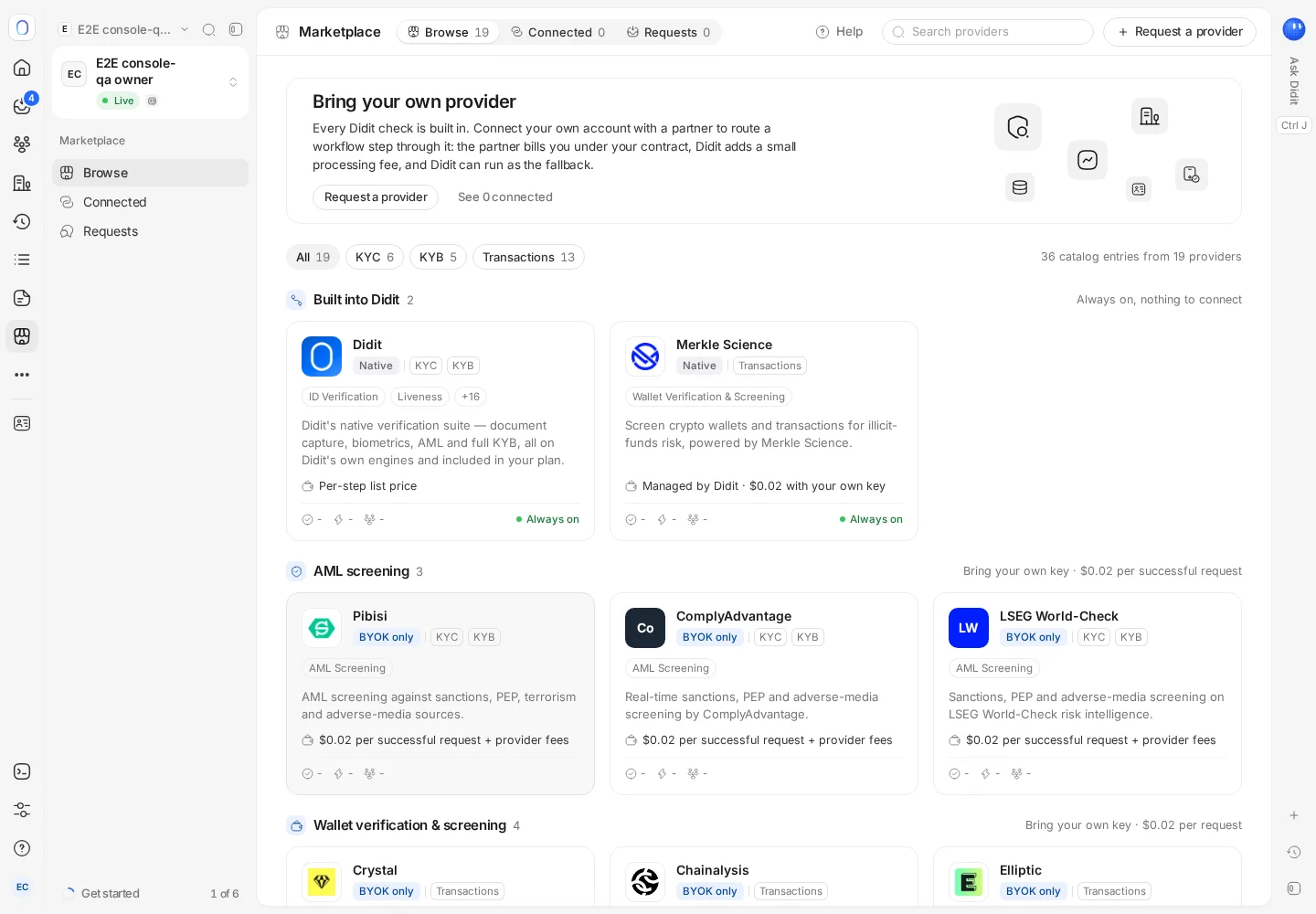
Browse groups providers by category: AML screening, wallet verification and screening, phone verification, bank aggregators and Travel Rule networks, next to the checks already built into Didit. A badge says how each one works:
| Badge | What it means |
|---|---|
| Native | Built into Didit. Nothing to connect |
| BYOK only | Bring your own key: runs on your own account and credentials with that provider. Where the step supports it, it can fall back to Didit |
| On request | Enabled by Didit on request, for example membership-based networks |
Connected lists what you've connected, and Requests lists the providers you've asked Didit to add.
#Connecting your own account
- Check you have what you need
An active account with that provider with API access, your credentials for it, and the Admin role in your Didit organization.
- Open the provider and go to Setup
Enter your credentials. They're encrypted and never shown again; to change them, disconnect and connect again.
- Acknowledge the processing fee
The provider bills you under your own contract, and Didit adds a small processing fee, shown on the page: per request, per successful request or per completed session, depending on the provider. For a Travel Rule network you acknowledge the network's membership fees instead.
- Test and save
Press Test connection, then Save connection.
#Using it in a workflow
In the workflow editor, the steps that support other providers show who runs the check. Pick your connected provider there, and choose what the step does if the provider is unavailable: fall back to Didit automatically, or stop the step and flag it for manual review. Setup shows these two options for reference; the choice itself is made on each workflow step. Publish the workflow for the change to take effect. See building a verification workflow.
#Disconnecting
Disconnecting deletes the stored credentials. Workflow steps that used the provider switch to their fallback, and results already on your verifications and transactions don't change.
#Asking for a provider
Press Request a provider with the provider's name and category. Follow its progress, from open to planned and shipped, under Requests.
#Who can use it
Viewing the Marketplace needs permission to read integrations. Connecting, testing and requesting need permission to change integrations, disconnecting needs permission to delete integrations, and using a provider in a workflow needs permission to change workflows.
Still stuck? Talk to a human.
Include your organization ID and the session ID you are asking about.