Export a single session as a PDF, a whole user's history as one file, or many sessions as CSV - for audits, regulators and your own records.
Open a session and choose More actions → Download PDF report for one report. For bulk data, export a CSV from the verifications list or the Reports page, with the columns and filters you choose.
#One session as a PDF
Open any session in Identity verification → User verifications and choose More actions → Download PDF report. The report opens in a viewer where you can download or print it (and share it, on a tablet or phone). It contains every verification step, the extracted data, the biometric scores, the AML results, and the final decision - laid out for compliance audits and regulatory filings.
Developers can generate the same report through the Generate PDF API.
A PDF can only be produced for a session that has reached a reportable state. If the download fails on a session that is still In progress or Not started, that's why - there is no decision to report yet.
#A whole person's history in one file
The person page in People lists every verification one person has been through. It doesn't produce a combined PDF: download the PDF of each session you need, or use More actions → Export data on the person page to get their records as a file. See people and companies.
Sessions are grouped into one person by vendor_data, which is another reason to set it consistently: without it, one person's attempts can't be brought together.
#Many sessions as CSV
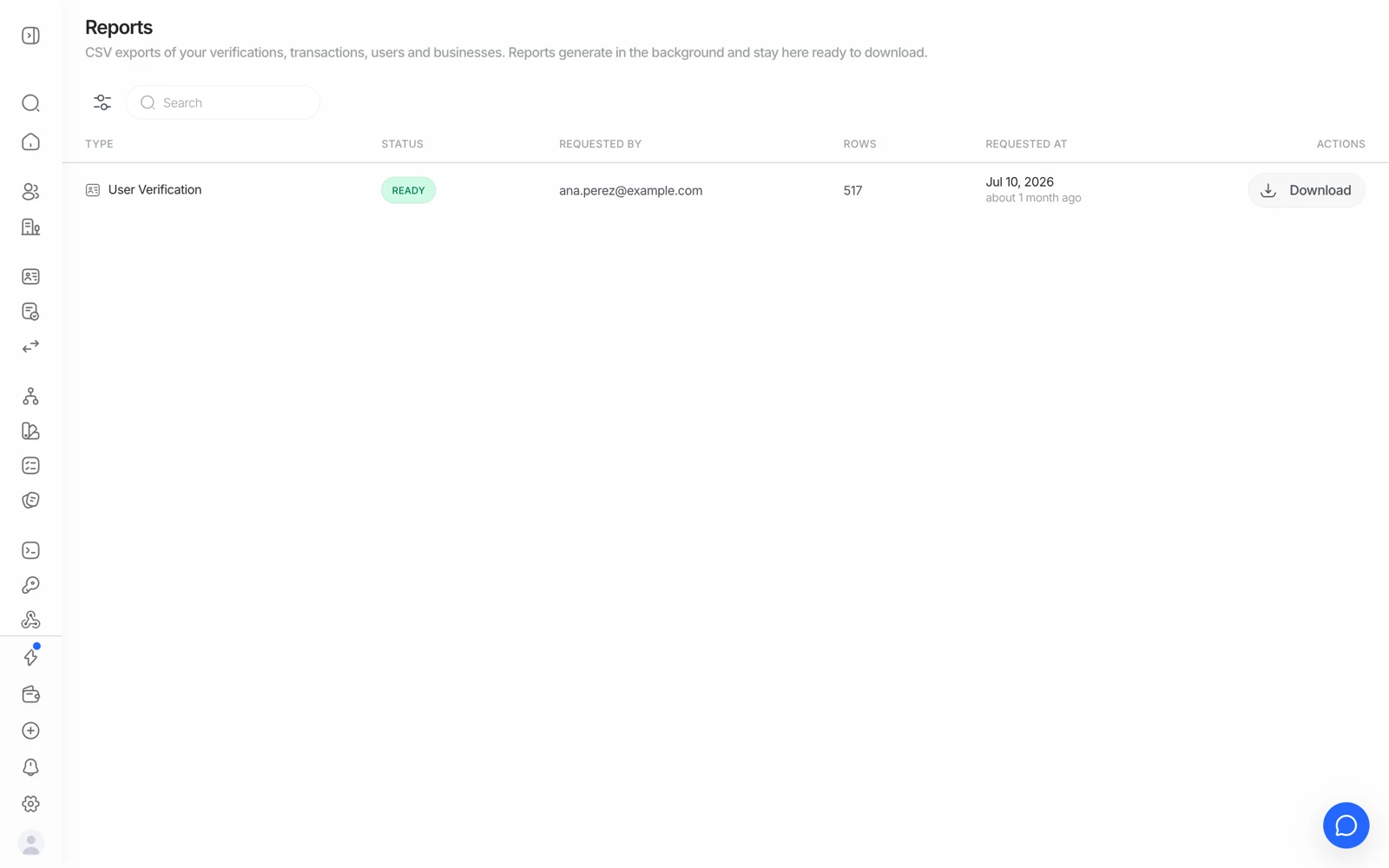
For bulk analysis, periodic compliance reporting, or importing into your own systems, use Export this view on the User verifications list, or New report on the Reports page. You choose which columns to include and which sessions to filter to, so you're not exporting fields you don't need. See reports and exports.
#What the report is good for
The PDF is designed to be the artefact you hand to an auditor or a regulator: it shows the document images, the selfie, the liveness result, the machine-readable-zone result, the decision, and the timestamps in one place. Teams operating under a supervisory regime generally attach it to their own case file.
The report's activity history also records who changed the session's status - so if you need to know which teammate manually approved or declined a session, download its PDF and check that section.
If your obligation is to retain the evidence yourself rather than rely on us holding it, export the PDF at the point of decision and store it in your own system - that's the pattern to build, and it works alongside a short retention window on the Didit side.
#Report language
The PDF renders in English. If your users complete the flow in another language, the report they went through and the report you download won't match language - the report is an internal compliance artefact, not something to hand to the end user.
#Business verification reports
A KYB session produces its own report covering the registry data, the ownership structure, and the status of each key person's verification. Because a KYB parent session depends on child sessions, generate it once the parent has reached a terminal status - otherwise the people section will show verifications still in flight.
#Getting the raw data instead
If you want the result in your own system rather than as a document, don't export - take it from the webhook. The payload carries the same decision object the PDF is rendered from, and it arrives within seconds of the person finishing. See getting results with webhooks.
#Audit trail of who exported what
Report generation and export are recorded in the Audit log along with who made them - useful when you need to show that access to verification evidence is controlled. See using audit logs.
Still stuck? Talk to a human.
Include your organization ID and the session ID you are asking about.